Are Gaming PCs Tested Before They Reach You?
Are gaming PCs tested before delivery? See what professional PC testing covers, why it matters, and what to expect from a premium custom-built system.
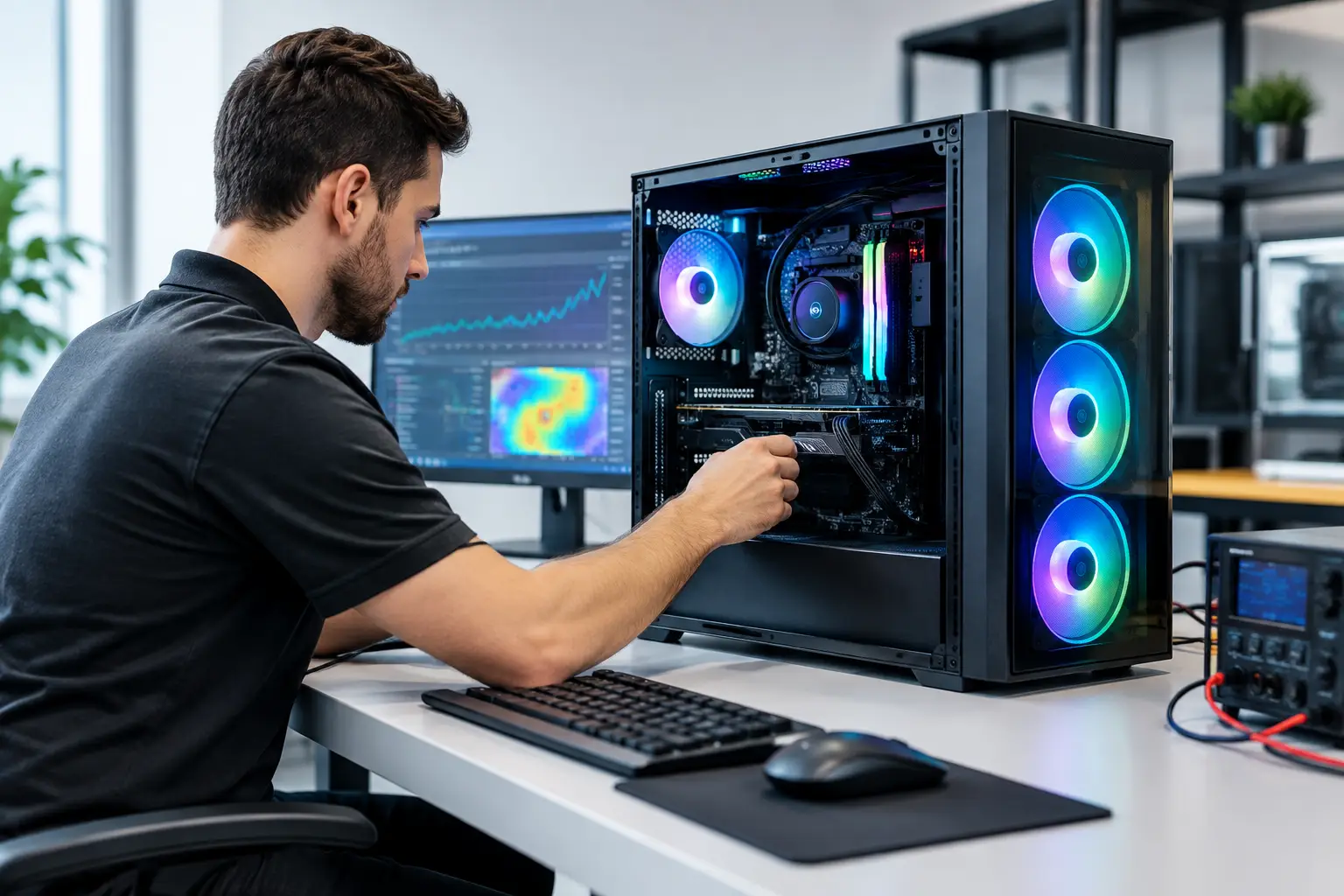
A powerful graphics card and premium processor only tell part of the story. Are gaming PCs tested before they reach the customer? A professionally built system should be. Testing is the stage that confirms the components work together as intended, the cooling can cope with load, and the machine is ready for the games and demanding applications it was built to run.
For a custom gaming PC, this matters even more than it does for a standard off-the-shelf computer. Each specification may use a different processor, graphics card, memory kit, storage configuration, cooler and case. A specialist builder is not simply taking a sealed unit from a shelf. They are assembling an individual system, then checking that the finished machine performs reliably as a complete package.
What does it mean when a gaming PC is fully tested?
A properly tested gaming PC has gone through more than a quick power-on check. It has been built, configured and assessed to identify problems that may only appear once the system is under sustained use. The goal is to catch issues before dispatch, rather than leaving the customer to diagnose them after delivery.
The exact process varies between builders and by system specification, but quality assurance normally begins with a physical inspection. Internal cables should be routed securely, power connections fully seated and components fitted correctly. The graphics card, memory, CPU cooler, storage drives and fans all need particular attention, as a loose connection or poorly fitted part can cause instability, excess noise or a system that will not start.
The system is then powered on and checked for successful booting. Builders can confirm that the processor, memory, graphics card and drives are detected correctly, and that the BIOS settings support the intended configuration. This is particularly relevant for memory profiles, storage modes and cooling behaviour.
Component recognition and configuration
A gaming PC can technically switch on while still not being configured properly. For example, memory may run at a basic default speed rather than its rated profile, or a new drive may not be recognised as expected. Professional testing checks that the installed hardware is visible and operating within the specification chosen for the build.
The operating system, drivers and essential updates also need to be installed correctly where they form part of the supplied system. Graphics drivers are especially important. They allow the GPU to deliver its intended gaming performance and ensure the customer is starting from a stable, usable desktop rather than a machine requiring fundamental setup work.
Stability testing under load
The most valuable part of testing happens when the PC is asked to work hard. A computer that looks fine at the desktop can reveal faults once the processor and graphics card are under pressure. This can include unexpected shutdowns, visual artefacts, freezes, blue-screen errors or temperatures that climb beyond sensible operating levels.
Stress testing and benchmark-style workloads place sustained demand on key components. CPU-focused tests assess processor stability and cooling. GPU testing checks graphics performance and can expose issues with drivers, power delivery or the card itself. Memory testing helps identify errors that might otherwise surface as random crashes during games or creative work.
A good builder does not treat a high benchmark score as the only measure of success. The result must also be stable. For gaming PCs, consistent operation over time is more useful than a brief peak result that cannot be maintained once the system is warm.
Thermal and acoustic checks
Modern gaming hardware is designed to run warm under heavy load, particularly in demanding titles, rendering tasks and high-refresh-rate gaming. The question is whether it remains within safe, controlled limits while delivering the expected performance.
Testing allows the builder to assess temperatures, fan response and airflow. A system with a powerful graphics card but insufficient case airflow may perform well initially, then reduce clock speeds as heat builds. Likewise, a cooler fitted incorrectly may lead to higher CPU temperatures and unnecessary fan noise.
There is a trade-off here. More aggressive fan curves can reduce temperatures but may make the PC louder. Quieter settings can improve the desk-side experience, but they must still provide enough cooling for the chosen components. The right balance depends on the system, case and customer priorities. A performance-led build and a quiet workstation will not always be tuned in exactly the same way.
Are gaming PCs tested with games installed?
Not every builder tests every system with a full library of games installed, and that is not necessarily a concern. Game installations are large, licensing can be restrictive, and individual titles update frequently. What matters is that the PC has been tested using appropriate workloads that represent the demands it is designed to handle.
A specialist may use synthetic benchmarks, stability tools and controlled test applications because they provide repeatable results. These tools make it easier to observe temperatures, clock behaviour and system stability across builds. Some builders may also use game-based testing where appropriate, particularly to confirm graphics performance in a more representative workload.
The useful distinction is between testing a PC and guaranteeing a specific frame rate in every game. Frame rates depend on the game, resolution, settings, background applications, driver version and any future patches. Testing verifies that the hardware is functioning correctly. It cannot prevent a poorly optimised game release or make an entry-level GPU perform like a flagship model.
Why testing matters more on a custom build
A custom system gives you meaningful control over performance, appearance, storage capacity and upgrade potential. It also introduces more possible combinations of parts. Even high-quality components can occasionally have compatibility quirks, manufacturing faults or installation-sensitive requirements.
Testing reduces the chance that these problems reach your desk. It can reveal a memory issue, an unstable overclock, a fan that is not responding correctly or a drive that needs attention before the PC leaves the workshop. That reassurance is one of the practical benefits of buying from a specialist rather than assembling a complex high-performance system without support.
At CraftCore, each system is expertly handcrafted and fully tested before it is prepared for delivery. This approach is about more than producing a tidy-looking build. It gives the chosen parts time to prove themselves together, so the machine arrives ready for the purpose it was configured to serve.
What testing cannot guarantee
Even extensive pre-dispatch testing has sensible limits. A PC can be stable in a workshop and later develop an issue caused by transit damage, a power problem at home, a loose external cable or a newly released driver. That does not mean the original testing was ineffective. It means computers operate within a wider environment that cannot be fully replicated before delivery.
For the same reason, testing cannot remove the need for sensible setup after arrival. Place the tower on a firm surface with clear airflow, connect the display cable to the graphics card rather than the motherboard where applicable, and avoid blocking intake or exhaust fans. Keep drivers current, particularly if you play newly released games.
If anything looks unusual, such as repeated crashes, no display output or unexpected noise, contact the retailer before attempting major changes inside the system. A structured support process is far better than guessing, especially with a premium build containing carefully selected components.
Questions worth asking before you buy
When comparing gaming PCs, look beyond broad phrases such as “quality checked”. Ask what the builder means by testing. Is the system tested under load? Are temperatures and stability assessed? Is the machine configured before dispatch? Is there a clear process for help if a problem develops after delivery?
You should also consider whether the system is tailored to your actual use. A competitive esports player, a 4K single-player gamer, a streamer and a video editor may all need different priorities. The best-tested system is still the wrong purchase if the specification does not match the monitor, software and games you intend to use.
A tested gaming PC gives you a stronger starting point: one where the performance parts have been assembled with care, checked under meaningful conditions and prepared for real use. Choose a builder that can explain that process clearly, and you can spend less time troubleshooting hardware and more time enjoying what it was built to do.