Are Prebuilt PCs Upgradeable? What to Check
Are prebuilt PCs upgradeable? See which parts you can replace, what limits future upgrades, and how to choose a system with room to grow well over time.
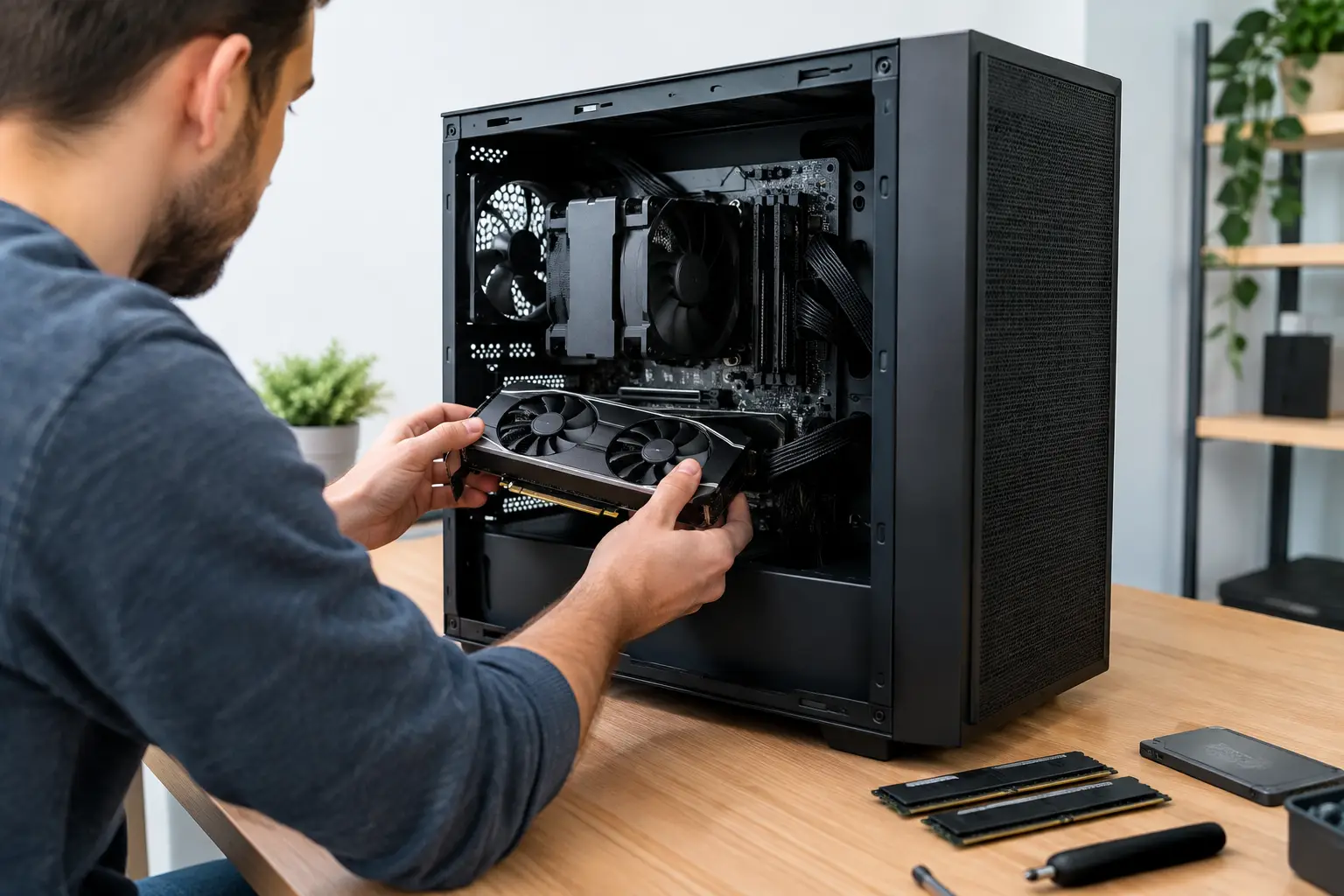
A gaming PC that delivers excellent frame rates today should not become a dead end when your favourite new release asks more of it. That raises a sensible question before you buy: are prebuilt PCs upgradeable? In most cases, yes. However, the answer depends far more on how the system was designed than on the fact that it arrived fully assembled.
A carefully specified prebuilt PC can be an excellent upgrade platform. It gives you a professionally assembled, fully tested starting point, then allows you to refresh key components as your games, workload or budget change. Some mass-market systems, by contrast, use bespoke parts and restricted layouts that make even straightforward upgrades unnecessarily difficult.
Are Prebuilt PCs Upgradeable in Practice?
Most standard desktop components are designed to be replaced. A prebuilt gaming PC built with conventional retail parts can usually accept more memory, additional storage, a newer graphics card and, within limits, a processor upgrade. The case, motherboard, power supply, cooling and available space determine how far that path goes.
The distinction worth making is between a specialist-built desktop and an OEM system. Large-volume manufacturers may use proprietary motherboards, power connectors, case dimensions or front-panel wiring. Those choices can keep production simple, but they can limit your options when it is time to fit a different power supply, motherboard or graphics card.
A premium prebuilt from a specialist builder is more likely to use recognised, standard-format components. That does not guarantee every future upgrade will fit, but it gives you a much stronger foundation. You should still review the specification rather than assuming that every ready-built system has the same flexibility.
The Parts You Can Usually Upgrade
The easiest upgrades improve performance without changing the core platform. They are also the upgrades most buyers are likely to make over the life of a system.
Memory
Adding RAM is usually simple, provided the motherboard has spare memory slots and supports the capacity and speed you intend to install. A system supplied with 16GB across two of four slots, for example, has a clear route to 32GB. A compact board with only two occupied slots may require replacing the existing kit instead.
For gaming, 16GB remains workable, while 32GB is a more comfortable target for modern titles, multitasking and background applications. Creators working with large media files, 3D scenes or virtual machines may benefit from more.
Storage
Storage is often the most straightforward upgrade. Many motherboards provide extra M.2 slots for NVMe SSDs, while cases commonly have mounting points for SATA SSDs or larger hard drives. An additional SSD can keep a growing game library fast and separate from your operating system drive.
Check how many M.2 slots are available, whether a slot shares bandwidth with other hardware, and whether fitting another drive requires removing the graphics card or a heatsink. These are small practical details, but they affect how painless the upgrade will be.
Graphics card
The graphics card is the upgrade that can make the greatest difference to gaming performance. It is also the one that demands the most planning. A new card must physically fit inside the case, receive enough power from the PSU and have the correct power connectors.
Length is only part of the story. Tall cards can conflict with case panels, and thick three- or four-slot designs can restrict access to lower motherboard slots. Good airflow matters too. A powerful card installed in a cramped case may run hotter and louder than it should.
Processor
CPU upgrades are possible, but they are more dependent on platform compatibility. A motherboard supports only particular processor generations and may need a BIOS update before it recognises a newer chip. Eventually, a meaningful processor upgrade may require a new motherboard and RAM as well, especially when moving to a newer socket or memory standard.
That is not a failure of the original PC. Platforms have a natural lifespan. The key is knowing whether you are buying into a current platform with an upgrade route or one that is already near the end of its supported range.
What Can Limit a Prebuilt PC Upgrade?
The question is not simply whether a component can be replaced. It is whether the wider system can support it properly.
Power supply headroom
A quality power supply with sensible spare capacity gives you more flexibility for a future graphics card. If a system is built around a modest PSU that is already close to its expected load, a GPU upgrade could mean replacing the PSU at the same time.
Wattage is not the only consideration. Look for a reputable unit, the appropriate PCIe power connectors and an efficient design suited to the components fitted. The power supply is the foundation of system stability, not an area to treat as an afterthought.
Case size and airflow
Small-form-factor PCs can be beautifully engineered, but compact dimensions involve trade-offs. They may accept shorter graphics cards, use SFX power supplies or offer fewer drive mounts. A larger ATX or micro-ATX case generally gives more room for cooling, storage and future hardware, although a well-designed compact build can still be a strong choice when desk space matters.
Cooling capacity matters when upgrading a processor or graphics card. More performance produces more heat. A case with controlled airflow and space for suitable fans or radiators protects performance under sustained load.
Motherboard features
The motherboard sets the boundaries for memory slots, storage connections, processor support and expansion cards. Entry-level boards can be perfectly appropriate for a balanced gaming build, but they may offer fewer M.2 slots, fewer USB headers and less flexibility for high-end processors.
There is no need to pay for every feature you may never use. The goal is to choose a board that matches your likely next upgrade, not an imaginary future system with no budget limit.
Proprietary components
This is the biggest warning sign when assessing upgradeability. Non-standard power supplies, unusual motherboard shapes, custom connectors and restricted BIOS settings can turn a routine upgrade into a replacement project. Before purchasing, confirm that the system uses standard components where it matters most: motherboard, PSU, case and cooling.
How to Buy a Prebuilt PC With an Upgrade Path
Start with the performance you need now, then identify the one or two changes you are most likely to make later. If you expect to move from 1080p to high-refresh 1440p gaming, allow for a stronger future graphics card. If you are building a game library or working with video, prioritise spare storage capacity. If you regularly run demanding applications together, leave a clear path to 32GB or 64GB of RAM.
Ask for the exact component specification rather than accepting vague labels such as “650W PSU” or “gaming motherboard”. The make and model can reveal available connectors, efficiency rating, expansion options and physical constraints. A transparent component list is a sign that the system has been specified with care.
It is also sensible to avoid spending the entire budget on one headline part. The fastest graphics card in a system with limited cooling, storage or power headroom may be less satisfying over time than a balanced build with room to adapt. A tailored specification gives you control over that balance from the outset.
At CraftCore, systems are configured around the performance, appearance and upgrade priorities that matter to the individual buyer. That approach helps avoid paying for components you do not need while protecting the areas where future flexibility has genuine value.
When Upgrading Is Not the Best Option
There comes a point when several upgrades at once stop being cost-effective. Replacing the processor, motherboard, memory, cooler, power supply and graphics card is effectively a new PC assembled around an old case and storage drive. If your platform is many generations behind, a fresh build may offer better performance, warranty coverage and efficiency for the money.
Equally, not every upgrade needs to happen immediately. A graphics card upgrade may be worthwhile if gaming performance is the only issue. More RAM or an additional SSD can extend the useful life of an otherwise capable desktop for a modest cost. Assess the actual bottleneck before changing hardware.
A good prebuilt PC should give you confidence on day one, not pressure to upgrade on day two. Choose a well-built system with standard components, sensible power and cooling headroom, and a configuration suited to your real use. Then, when your needs change, you will have options rather than obstacles.