Best PC Upgrades for Gamers That Pay Off
Find the best PC upgrades for gamers, from graphics cards and storage to memory, cooling and power, with practical advice for a balanced build today.
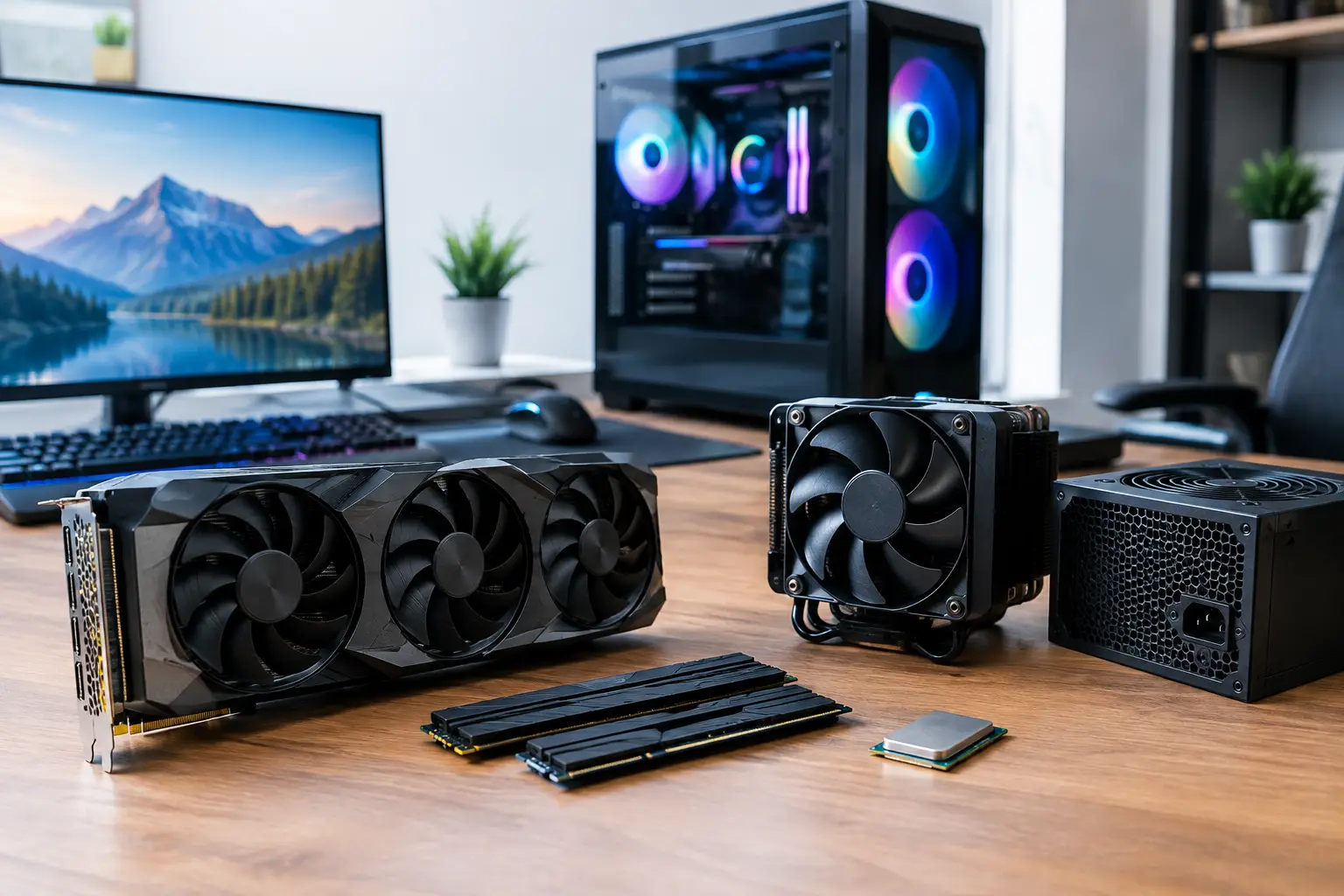
A new graphics card is not automatically the answer to every performance problem. If your games stutter while loading, your processor is pinned at 100%, or your monitor cannot show the frames your PC already produces, spending heavily on a GPU alone can leave value on the table. The best PC upgrades for gamers are the ones that remove the real bottleneck while keeping the whole system balanced.
For a premium gaming PC, that means looking beyond a headline component. Resolution, target frame rate, the games you play, your existing parts and the condition of your power supply all shape the right upgrade path. A considered change can make an older system feel substantially faster. The wrong one can create compatibility issues or simply move the limitation elsewhere.
Best PC upgrades for gamers, ranked by impact
1. Upgrade the graphics card for higher visual performance
For most players, the graphics card delivers the most visible gaming improvement. It has the greatest effect on frame rates at 1440p and 4K, ray tracing performance, texture quality and the ability to use more demanding visual settings. If your current GPU is struggling to maintain the frame rate your monitor is built for, it is usually the first component worth assessing.
The right choice depends on the display rather than a desire to buy the most expensive card available. A capable mid-range GPU can be an excellent fit for competitive 1080p gaming, while high-refresh 1440p or 4K gaming calls for considerably more graphics power and video memory. Consider the titles you actually play too. Fast-paced shooters reward consistently high frame rates, whereas cinematic single-player games may justify more emphasis on visual settings and ray tracing.
Check physical clearance before ordering. Modern cards can be long, wide and heavy, so case dimensions, front-mounted radiators and support brackets matter. You should also confirm the power supply has sufficient capacity, the correct connectors and enough headroom for sustained gaming loads.
2. Add an NVMe SSD to improve responsiveness
Storage will not usually raise average frame rates, but it can transform how a PC feels between matches, missions and applications. Moving games from a mechanical hard drive to an NVMe SSD cuts loading times, speeds up large updates and improves general desktop responsiveness. It is one of the most satisfying upgrades for a system that still relies on older storage.
A larger SSD also brings a practical benefit: games are growing rapidly in size. A drive that is nearly full can become inconvenient to manage, especially if you regularly install several large titles. A 1TB or 2TB NVMe drive is often a sensible capacity for a modern gaming library, depending on whether the system is also used for creative work.
Not every motherboard supports the latest PCIe generation, and that is perfectly acceptable. A quality drive operating at the motherboard's supported speed remains a major improvement over a hard drive or an ageing SATA SSD. Prioritise capacity, reliability and a suitable warranty before chasing benchmark figures that may not be noticeable in everyday play.
3. Increase memory when multitasking exposes a limit
Memory upgrades are particularly worthwhile when a system has 8GB RAM, or when 16GB is regularly exhausted by modern games alongside Discord, browser tabs, capture software or background applications. For many current gaming PCs, 32GB is the sensible target. It gives demanding titles more breathing room and supports smoother multitasking without requiring extravagant capacity.
Capacity is only part of the decision. Memory should ideally be installed as a matched kit, using the correct slots for dual-channel operation. Mixing old and new modules can work, but it may force lower speeds or introduce stability concerns. DDR4 and DDR5 are not interchangeable, so the motherboard determines which platform you can use.
Before upgrading, check Task Manager during a typical gaming session. If memory use is close to the installed limit and the system is stuttering or relying heavily on the page file, additional RAM has a clear purpose. If 16GB usage remains comfortably below capacity, money may be better directed towards the graphics card, storage or processor.
4. Upgrade the processor for high-refresh and CPU-heavy games
A processor upgrade matters most when the CPU is holding back the graphics card. This is common in simulation games, strategy titles, large multiplayer environments and competitive games played at lower resolutions with very high frame-rate targets. Symptoms include low GPU utilisation, uneven frame times and a processor with one or more cores consistently under heavy load.
The most cost-effective route may be a stronger compatible processor for your existing motherboard. However, compatibility depends on the chipset, BIOS version, cooler mounting and power delivery. In other cases, a meaningful CPU upgrade requires a new motherboard and memory as well, which changes the budget entirely.
This is where platform planning pays off. If you need a motherboard, processor and RAM together, it may be better to treat the work as a core-platform refresh rather than trying to extend an older system one part at a time. An expertly configured system can ensure the processor, memory speed and cooling solution are selected as a proven combination.
Do not overlook cooling and power
Cooling rarely adds frames on its own, but it protects performance that your components are already capable of delivering. A processor that reaches thermal limits may reduce its clock speed during long sessions. Replacing an inadequate stock cooler, improving case airflow or renewing old thermal paste can lower temperatures and reduce unwanted fan noise.
Airflow is about a deliberate path through the case, not simply fitting more fans. Cool air needs a way in, warm air needs a route out, and cables should not obstruct either. Good-quality intake and exhaust fans, correctly positioned, are often more useful than a collection of mismatched units running at full speed.
The power supply deserves the same careful attention. It is not a component to choose by wattage alone. A premium unit with reliable protections, efficient operation and the appropriate connectors is essential when fitting a power-hungry graphics card. If a PSU is older, undersized or from an uncertain manufacturer, replacing it alongside a major GPU upgrade is sensible preventative work rather than an optional extra.
Match the upgrade to your monitor
A monitor can be the missing piece in an otherwise capable setup. A PC producing 160 frames per second will not look meaningfully smoother on a 60Hz display, while a higher-refresh monitor can make movement feel more immediate in competitive games. Resolution, refresh rate, adaptive sync support and panel quality should all suit the games you enjoy.
There is a trade-off. Moving from 1080p to 1440p improves clarity and workspace, but it increases the load on the graphics card. Moving to 4K raises that demand further. Before upgrading the display, assess whether the current GPU can provide the experience you expect at the new resolution. Sometimes the smarter route is to choose the monitor first, then build the graphics upgrade around it.
A sensible order for planning PC upgrades
Start with evidence rather than assumptions. Monitor frame rates, frame-time consistency, temperatures, GPU utilisation, CPU load, memory use and available storage while playing the games that matter most to you. This turns an upgrade from a guess into a targeted decision.
Next, set a clear goal: perhaps stable 1440p gaming, faster loads for a larger library, smooth streaming, or better performance in a particular CPU-heavy title. Check compatibility before purchase, including the motherboard socket, memory type, case clearance, cooling support and power supply connections. Finally, reserve part of the budget for the components that make a major upgrade reliable, such as a quality PSU or improved cooling.
For gamers who would rather avoid piecing those decisions together alone, a tailored build or professionally assessed upgrade route provides reassurance that every component has been selected to work together and fully tested before it reaches your desk. The best result is not the longest specification sheet. It is a PC that performs exactly where you need it to, runs reliably for the sessions ahead, and still gives you room to grow.