Custom Build Quality Review: What Matters Most
A custom build quality review explains the checks that protect performance, thermals and reliability before your premium PC reaches your desk at home.
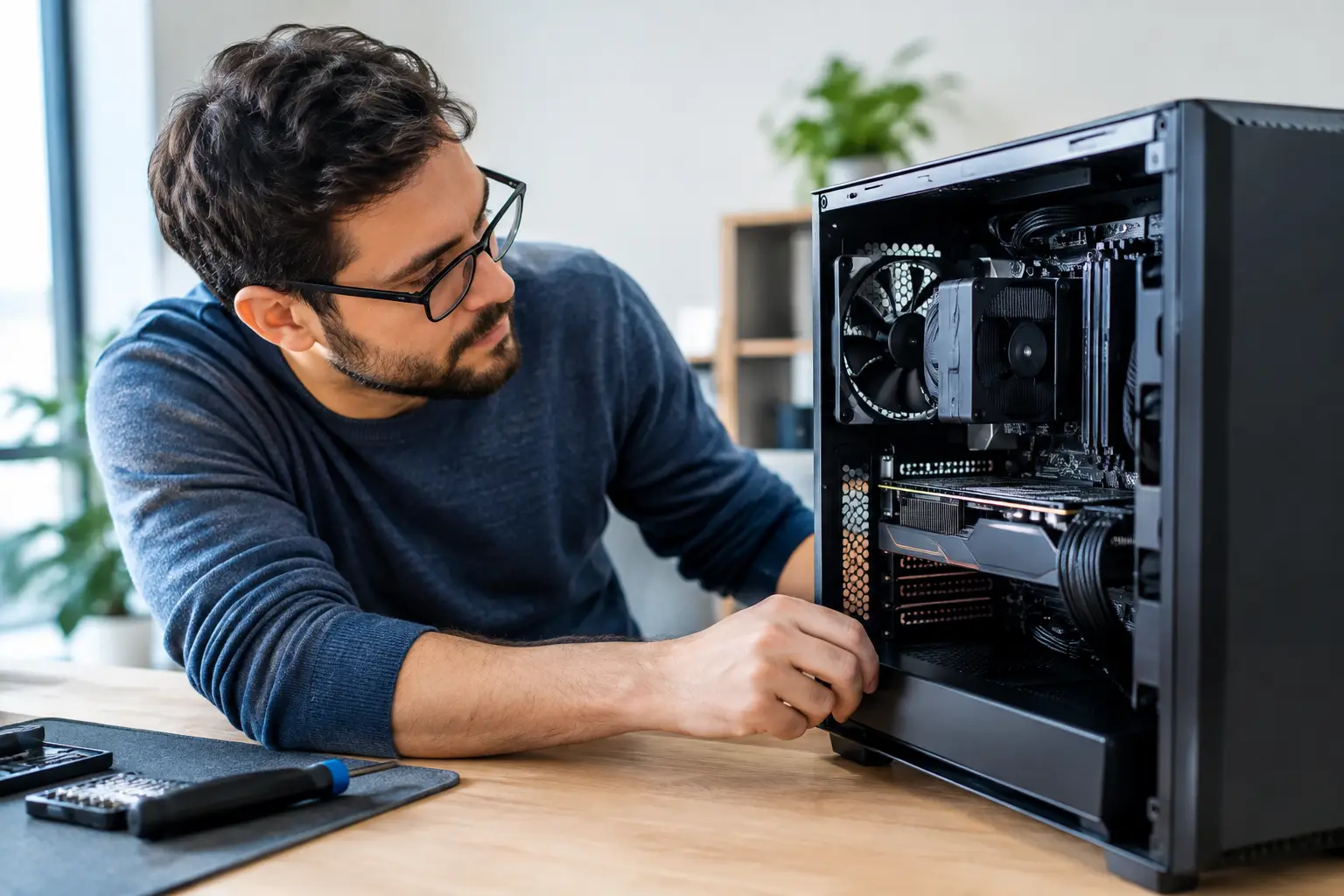
A premium PC can look exceptional in product photos and still disappoint if the work behind the panels has been rushed. A proper custom build quality review looks beyond the headline processor and graphics card to assess how the system has been assembled, configured and proven ready for daily use. Those details shape everything from temperature control and noise levels to long-term reliability.
For gamers, creators and performance-focused users, build quality is not an optional extra. It is the difference between a specification that merely looks powerful and a computer that consistently performs as intended.
What a Custom Build Quality Review Should Examine
The starting point is component suitability. A good custom PC is not simply a collection of expensive parts. The processor, graphics card, motherboard, memory, storage, power supply and cooling should be selected to work together for the way you intend to use the system.
A high-end graphics card paired with an underpowered power supply, limited airflow or a processor that restricts performance is poor value, however impressive the individual component names may be. Equally, a workstation built for video editing may benefit more from additional memory and fast storage than from spending the entire budget on gaming-focused hardware.
This is where a tailored build has a clear advantage. The specification should reflect your priorities: high-refresh-rate gaming, 4K visual detail, streaming, 3D work, music production or demanding professional software. There is no single best configuration for everyone, but there should be a clear reason for every major component in the system.
The chassis is part of the performance plan
Case choice has a direct effect on cooling, cable routing, upgrade space and the overall finish. A compact case can create a clean, desk-friendly setup, but it may require more careful component selection and cooling planning. A larger chassis generally offers more room for airflow and future upgrades, although it will take up more space.
A quality review should consider whether intake and exhaust fans are positioned sensibly, whether radiators have adequate clearance and whether the graphics card has room to draw in cool air. Glass panels, RGB lighting and a carefully chosen colour scheme can make a build personal, but they should never come at the expense of thermal performance.
Cable management is more than cosmetic
Neatly routed cables are a visible sign of care, yet their value is practical as well. Proper cable management keeps the main chamber clear, avoids obstructing airflow and reduces strain on connectors. It also makes future upgrades, cleaning and fault-finding considerably easier.
Inside a premium system, cables should be secured where appropriate, with no loose wiring resting against fans or hanging across key components. Power connections should be fully seated, including graphics card power leads and motherboard connectors. These basics are easy to overlook in a rushed build and can cause intermittent faults that are frustrating to diagnose later.
Testing Is the Most Important Part of Build Quality
Assembly is only half the job. Even compatible, correctly fitted components need to be tested as a complete system. A PC may boot successfully on a workbench and still show instability once its processor and graphics card are placed under sustained load.
A thorough testing process checks that the system starts reliably, recognises its installed hardware and runs at expected speeds. It should also verify memory stability, storage health, network connectivity, USB functionality and front-panel ports. Fan behaviour matters too. Fans should respond appropriately to temperature changes without creating unnecessary noise during light everyday use.
Thermal testing is especially valuable in high-performance builds. Modern processors and graphics cards are designed to operate at elevated temperatures under load, so a single number does not tell the whole story. What matters is whether temperatures remain within sensible operating limits during demanding tasks, whether clock speeds are maintained as expected and whether cooling is behaving consistently.
Testing should also expose issues that only appear under pressure: an unstable memory profile, an incorrectly mounted cooler, a fan curve that is too aggressive or a power issue triggered by peak graphics load. Catching these before dispatch is far better than leaving the customer to discover them during their first game, render or deadline-sensitive project.
BIOS and software setup deserve attention
A quality build needs sound configuration as well as careful hardware assembly. The BIOS should be checked so that installed memory is running at its intended supported profile, storage is correctly detected and cooling settings make sense for the chosen components.
Drivers and operating system updates should be approached thoughtfully. The goal is a stable, usable machine, not a desktop crowded with unnecessary software. For customers who prefer to personalise every setting themselves, a clean and sensible foundation gives them control without creating extra setup work.
There are trade-offs here. The newest driver is not always the best choice for every specialist application, while some games benefit quickly from graphics driver updates. A reliable system builder should favour stability, then provide a platform that is straightforward to maintain over time.
Signs of a Carefully Finished Custom PC
The final inspection should be as deliberate as the assembly. External panels should fit cleanly, protective films should be handled appropriately and ports should be accessible. Internally, no screws, cable ties or packing materials should be left loose inside the case.
It is also worth considering transport readiness. Graphics cards are heavy, and large air coolers place leverage on the motherboard when a PC is moved. Secure packaging and, where required, internal support help protect the system between the workshop and your desk. This is particularly relevant for UK deliveries, where a carefully built machine still needs to withstand the journey safely.
A build should arrive looking considered, not merely assembled. That means consistent lighting where RGB has been selected, clean component alignment and a layout that reflects the customer’s chosen style. For some buyers, a minimal all-black workstation is the right finish. For others, visible liquid cooling, colour-coordinated cables and illuminated fans are central to the experience. Both deserve the same standard of workmanship.
Questions Worth Asking Before You Buy
A custom PC is a significant purchase, so it is reasonable to ask how it will be tested, how component compatibility is checked and what support is available if something does not feel right after delivery. Clear answers are a positive sign. Vague claims about quality without an explanation of process are less reassuring.
Ask whether the specification can be adapted around your actual monitor, games or applications. A system intended for competitive 1080p gaming has different priorities from one designed for ultrawide 1440p play, 4K gaming or professional rendering. You should also discuss upgrade plans. Choosing a platform with sensible expansion options can make a premium PC a stronger long-term investment, even if you do not need every available feature on day one.
At CraftCore, the aim is to make that confidence part of the purchase: each machine is expertly handcrafted, fully tested and tailored to the customer’s requirements rather than treated as a generic configuration.
Build Quality Is Felt Over Time
The best custom PCs do not need to demand attention. They start when expected, remain composed under load and give you confidence to focus on the game, project or work in front of you. Premium components matter, but the care taken in selecting, assembling, testing and finishing them is what turns those parts into a dependable system.
When comparing configurations, look past the specification list for evidence of that care. A thoughtfully built PC will continue to show its value long after the first power-on.