Choosing a Gaming PC With Upgradeable Components
Choose a gaming PC with upgradeable components built for today's games, future graphics cards and dependable performance without replacing the whole system
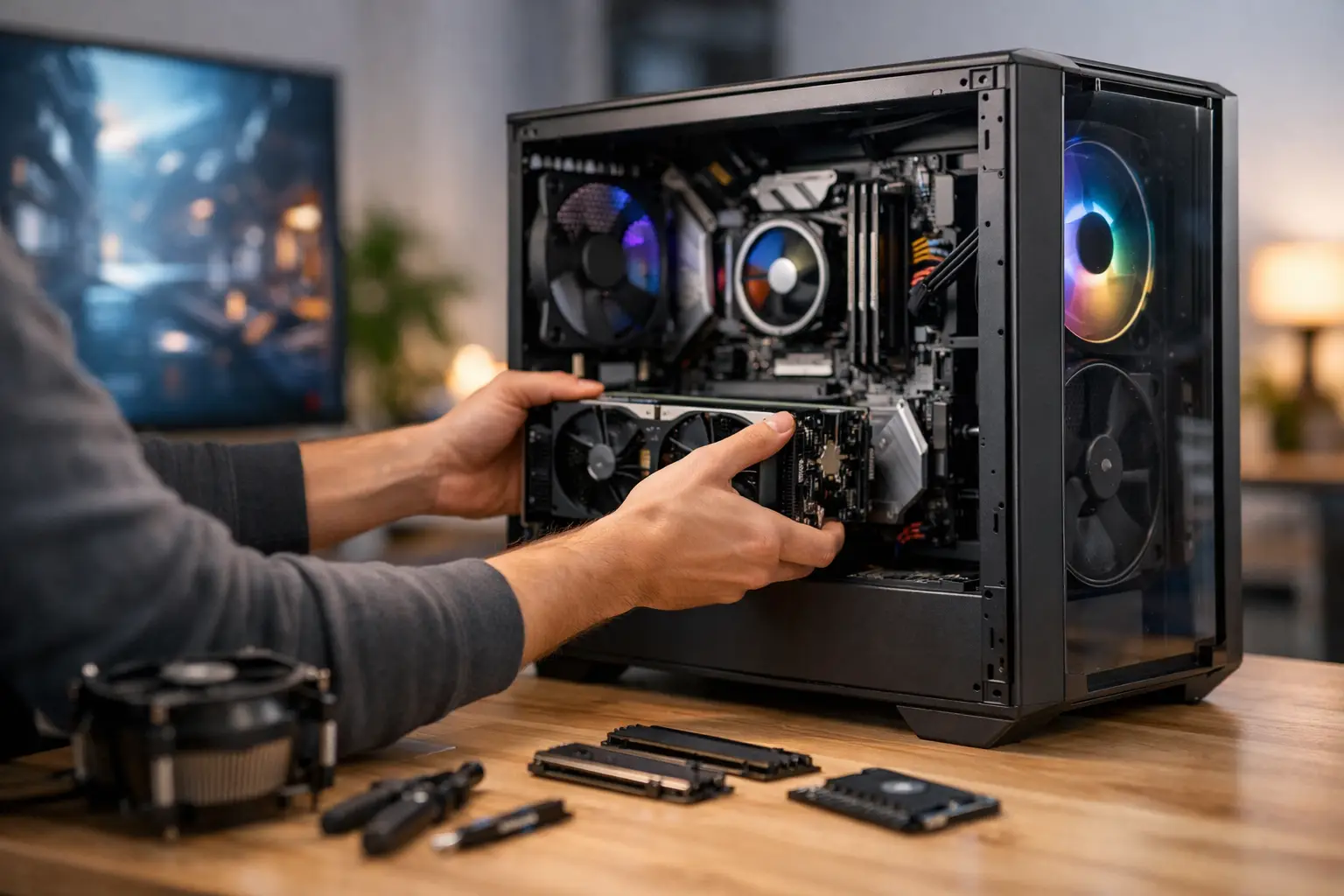
A gaming PC with upgradeable components is not simply a way to spend less later. It is a way to buy the right performance now without boxing yourself into a system that cannot move with your games, display or workload. The difference comes down to the parts you cannot easily see in a specification: the motherboard platform, power headroom, case space, cooling capacity and quality of the original build.
A well-planned PC should give you a clear route forward. That might mean fitting a more powerful graphics card in two or three years, adding fast storage when your game library grows, or increasing memory for streaming, editing and demanding professional software. The goal is not to make every component last forever. It is to make the next sensible upgrade straightforward, compatible and worthwhile.
What Makes a Gaming PC Upgradeable?
Upgradeable does not mean every part can be replaced without thought. PC hardware develops in generations, and some upgrades naturally bring others with them. A new processor, for example, may eventually require a different motherboard and memory standard. That is normal. What matters is avoiding needless limits in the components around it.
The best starting point is a standard desktop platform rather than proprietary hardware. A standard ATX or micro-ATX motherboard, conventional power supply, widely supported memory and a case with sensible internal clearance give you far more choice than a tightly designed mass-market tower. They also make servicing easier if a component ever needs replacing.
Component quality is just as important as compatibility. A low-cost power supply that only meets the demands of a current specification can restrict a future graphics card upgrade. A compact case may look tidy on a desk but leave little room for a longer GPU, larger radiator or additional drives. Buying a system with a little planned capacity is usually better value than replacing the whole machine early.
The motherboard sets the platform
The motherboard determines which processors, memory generation, storage connections and expansion cards a system can support. It is the foundation of an upgrade path, but it should be chosen for your likely needs rather than for a specification sheet full of unused features.
For gaming, look for enough memory slots to expand beyond the initial kit, multiple M.2 slots for NVMe SSDs and a full-length PCIe slot for the graphics card. Useful rear connectivity also matters if you use a wireless headset, external storage, controller, webcam or creative equipment. A board with sensible power delivery and current BIOS support provides more confidence if you plan to fit a stronger processor within the same platform generation.
There is a trade-off here. Paying for an enthusiast motherboard with features you will never use does not automatically create a better upgrade path. A carefully selected mainstream board with the right slots, connections and support is often the more balanced choice.
The power supply should leave room to grow
A power supply is one of the least glamorous parts of a gaming PC, yet it has a direct impact on reliability and future upgrades. Its wattage must support the processor and graphics card under demanding loads, with sensible headroom for transient power spikes, additional drives and future hardware.
Do not choose capacity by wattage alone. Build quality, efficiency rating, protections and the available PCIe power connections all matter. A reputable, appropriately rated modular power supply keeps cable management cleaner and makes a later GPU installation much simpler. It also helps maintain good airflow through the case.
The right wattage depends on the class of PC. A modest 1080p gaming build has very different requirements from a high-refresh 1440p or 4K system. Planning for a realistic next graphics card is sensible; buying an oversized unit solely for an unlikely future build is not always necessary.
Choosing a Gaming PC With Upgradeable Components
Start with the performance you need for the games you play now. Resolution, refresh rate and the visual settings you value most should guide the initial graphics card and processor choice. A competitive player targeting high frame rates at 1080p may prioritise processor performance, while a single-player 1440p or 4K build will usually benefit most from a stronger graphics card and adequate video memory.
Then consider what is likely to change. Storage is often the first upgrade because modern games are large and fast NVMe drives are easy to add when the motherboard has a spare slot. Memory is another practical upgrade, especially for users who game while running voice chat, browsers, capture software or creative applications. A system starting with 16GB can be perfectly capable for many games, but 32GB provides more breathing room for heavier multitasking.
Graphics card upgrades deserve the most preparation. Check that the case supports the length and thickness of the cards you may consider, that the power supply has sufficient capacity and connectors, and that airflow can handle the additional heat. This is where an expertly handcrafted system earns its value: cable routing, fan placement and component clearances should be considered before the machine reaches your desk.
Cooling and case space are practical, not cosmetic
A case affects more than the look of your setup. Good airflow helps components sustain performance under load, reduces fan noise and gives a future graphics card or CPU cooler the environment it needs. Look for purposeful intake and exhaust positions, quality dust filtration and enough clearance around the main components.
Cooling should match the processor and the intended use of the PC. A capable air cooler can offer excellent performance and long-term dependability, while liquid cooling may suit higher heat output processors or a particular visual design. Neither option is automatically superior. The best choice is the one that fits the processor, case and noise expectations of your build.
If visual design matters, it should work alongside maintenance. Glass panels, RGB lighting and neatly sleeved cables can create a premium finish, but access to storage bays, filters and connectors should remain straightforward. A considered build can deliver both.
Avoid false economy in the first specification
It is easy to focus every pound on the graphics card, particularly when comparing headline frame rates. However, an unbalanced specification can make later upgrades unnecessarily expensive. Choosing the cheapest case, smallest power supply and entry-level motherboard may produce a capable PC today while limiting its useful life tomorrow.
A better approach is to allocate budget according to what is difficult to change later. The graphics card is easy to replace physically, provided the surrounding system supports it. The case, motherboard, power supply and cooling arrangement deserve careful attention because they shape every upgrade that follows.
For buyers who want a ready-to-order system, a proven pre-built configuration can still offer excellent upgrade potential when it is built from standard, quality components. For those with a specific game, target resolution, editing workflow or aesthetic in mind, a configurable build provides greater control from the outset. In both cases, compatibility should be checked as a complete system, not as a collection of individual parts.
When It Makes Sense to Upgrade
Upgrade when there is a clear bottleneck, not simply because a new component has launched. If your frame rate is below the level your display can make use of, your graphics card may be the limiting factor. If gameplay stutters while applications are open in the background, additional memory or faster storage could help. If CPU-heavy games struggle despite a capable GPU, a processor upgrade may offer better results.
Before replacing anything, check temperatures, storage capacity, driver condition and in-game settings. A clean system, sensible fan curve and correctly configured memory can sometimes improve the experience without new hardware. When an upgrade is justified, make one meaningful change rather than several small ones that do not address the real limitation.
CraftCore systems are configured around individual requirements, with component compatibility, cooling and long-term performance considered as part of the build. That means you can choose for the games and work you do now, while keeping a sensible route to the hardware you may need next.
The strongest upgrade plan is rarely the most expensive one. Choose a premium, fully tested foundation with the space, power and platform support your next step requires, then enjoy the confidence that your PC can continue to earn its place in your setup.