Gaming Peripherals for a Better PC Setup
Choose gaming peripherals that suit your PC, play style and workspace. Understand what matters in keyboards, mice, headsets and monitors before you buy.
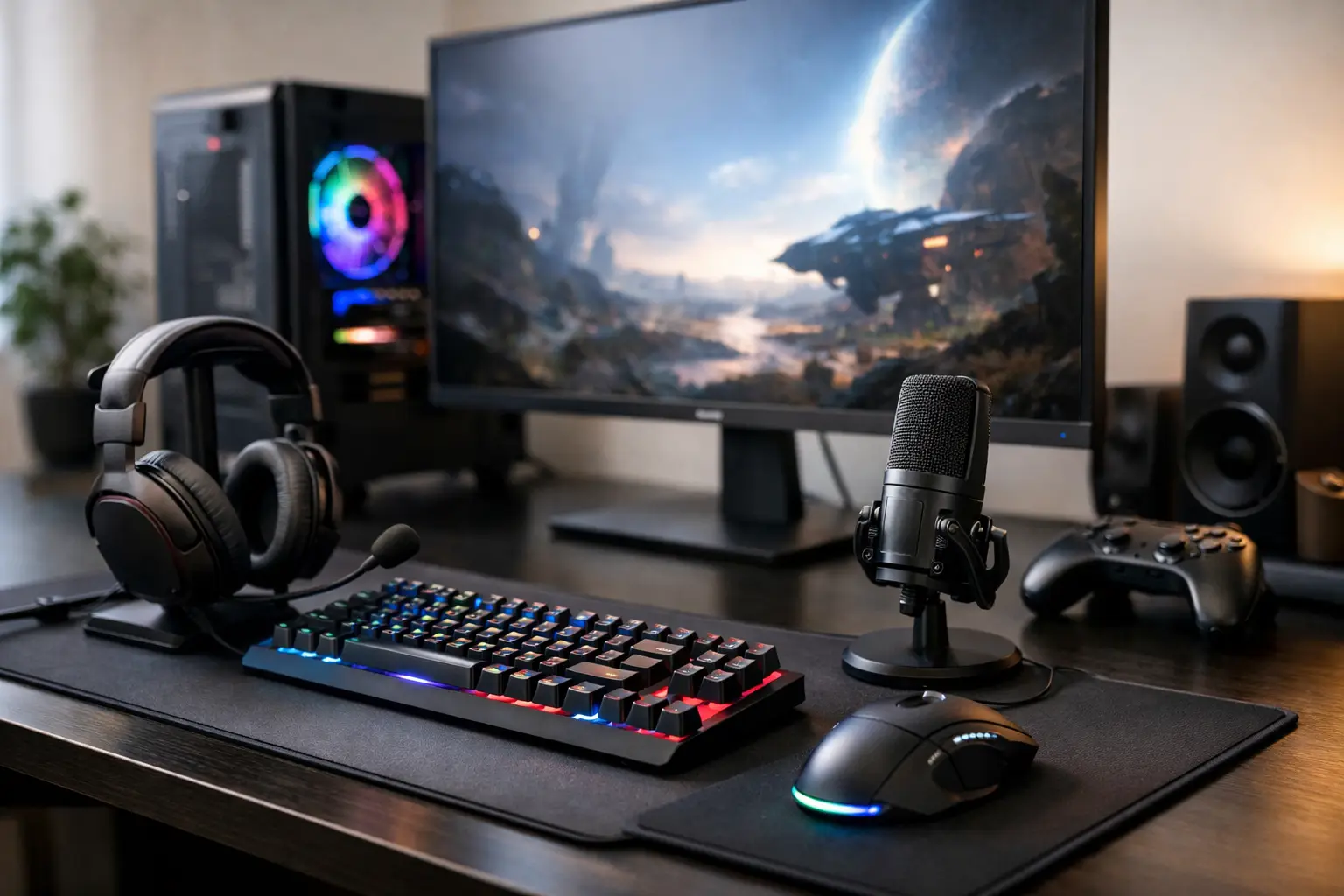
A high-spec gaming PC can produce exceptional frame rates, but the experience still passes through your hands, ears and eyes. Gaming peripherals determine how accurately you aim, how clearly you hear positional audio and how comfortable your setup remains through a long session. They should be chosen with the same care as the system itself, not added as an afterthought.
The right choices are personal. A competitive FPS player may prioritise a lightweight mouse and high-refresh monitor, while a single-player RPG fan may value immersive audio, a larger display and quieter controls. For work, streaming or creative tasks alongside gaming, comfort and everyday usability matter just as much as headline specifications.
What to Prioritise in Gaming Peripherals
Start with the games you play most often, then consider the space available on your desk and the way you use your PC outside gaming. It is easy to buy on specification alone, but a peripheral that looks impressive on paper may be unsuitable if its size, shape or feature set does not suit you.
Compatibility is the practical foundation. Check connection types, available USB ports and whether wireless devices use a dedicated receiver, Bluetooth or both. Most modern peripherals work with Windows PCs without difficulty, yet companion software can affect RGB lighting control, macro programming, audio tuning and firmware updates. If you prefer a clean, coordinated setup, choosing devices from one ecosystem can simplify this. The trade-off is that it may limit your choice of the best individual product in each category.
Build quality also deserves attention. Switches, scroll wheels, headset hinges and monitor stands are used constantly. Premium materials and well-considered construction are not simply cosmetic details - they often make the difference between hardware that remains dependable for years and hardware that starts to feel loose or inconsistent after regular use.
Choose the Right Gaming Keyboard
Your keyboard affects far more than typing. Key feel, layout, response and sound all shape the character of your desk setup. Mechanical keyboards remain a popular option because they offer distinct feedback and durable switches, but they are not automatically right for everyone. Some players prefer membrane keyboards for their softer, quieter action, particularly in shared spaces.
Mechanical switch choice is largely about preference. Linear switches move smoothly with no tactile bump and are often favoured for fast, repeated inputs. Tactile switches provide a noticeable point of actuation, which can feel more deliberate for both gaming and writing. Clicky switches offer an audible response but can be disruptive if you game late or work near others.
Layout is equally important. A full-size keyboard includes a number pad and offers familiar spacing for work and productivity. Tenkeyless and compact layouts reclaim desk space, allowing your mouse arm to sit in a more natural position. This can be especially useful for lower-sensitivity players who make wide mouse movements. Before choosing a smaller board, consider whether you regularly need dedicated media controls, function keys or a number pad.
Wired keyboards offer simple, reliable connectivity. Wireless models reduce cable clutter and can be excellent for mixed desk and living-room use, provided battery life and charging are well managed. Features such as hot-swappable switches, onboard profiles and quality stabilisers add genuine long-term value for enthusiasts, but they are not essential for every setup.
Mouse Shape Matters More Than Sensor Numbers
Modern gaming mouse sensors are highly capable across a wide price range. Once a mouse offers accurate tracking and a suitable maximum DPI, shape, weight and button placement become the more meaningful factors.
Grip style is a useful starting point. Palm grip users often prefer a fuller mouse that supports the hand, while claw and fingertip grip users may favour a shorter or lower profile shape. Hand size matters too. A mouse that is too large can make fine adjustments tiring, while one that is too small may leave your hand cramped during longer sessions.
Lightweight mice suit fast-paced shooters and games where rapid directional changes are common. Slightly heavier models can feel more controlled for strategy games, simulation titles or productivity work. Wireless technology is now strong enough for serious gaming, but a wired mouse remains a sensible choice where uninterrupted operation and lower cost are priorities. Look for a flexible cable, reliable switches and enough programmable buttons for the games you play rather than buying the highest button count available.
Headsets, Microphones and Game Audio
Good audio creates an advantage when footsteps, reloads and distant effects reveal useful information. It also makes single-player games, films and music more engaging. A gaming headset is the simplest all-in-one route, combining headphones and a microphone in one device, but it is not the only approach.
Closed-back headsets reduce external noise and provide a focused sound, which is useful in busy households. Open-back headphones generally create a more spacious soundstage, though they leak sound and allow more background noise in. Neither is universally better. Your room, preferred games and tolerance for outside noise should guide the decision.
For multiplayer games, microphone clarity matters more than elaborate visual styling. A removable or adjustable boom microphone is practical, while a separate USB microphone can offer improved vocal detail for streaming, team communication and content creation. If you choose separate headphones and a microphone, ensure your desk has the space and that your chosen audio connections suit the PC.
Virtual surround modes can help some players place sounds in competitive games, but results vary by game engine and headset tuning. Strong stereo imaging is often more useful than relying on a surround label alone. Try to avoid extreme equaliser settings at first. A balanced profile gives you a better reference point before adjusting bass, dialogue or footsteps to your preference.
The Monitor Defines What Your PC Can Show
A powerful graphics card needs a monitor that can display its performance. Resolution, refresh rate, panel technology and screen size should be considered together rather than treated as separate upgrades.
For competitive gaming, a 1080p or 1440p monitor with a high refresh rate can offer a noticeably more responsive feel, provided your PC can maintain suitable frame rates. For immersive single-player games and creative work, 1440p or 4K offers greater detail and workspace, but higher resolutions place a heavier demand on the graphics card. The best balance depends on the games you play and the performance target you expect from your system.
Panel type affects image character. IPS panels are widely appreciated for colour accuracy and viewing angles. VA panels can offer stronger contrast, making darker scenes feel more dramatic, though response behaviour varies between models. OLED displays deliver exceptional contrast and fast pixel response, but require sensible care around static desktop elements and may cost more.
Adaptive synchronisation is worth considering because it helps reduce screen tearing when frame rates fluctuate. Do not overlook ergonomics either. Height, tilt and swivel adjustment can make a substantial difference to comfort, especially when your setup is used for work as well as gaming. A high-quality monitor arm or adjustable stand may be as valuable as a small increase in refresh rate.
Build a Setup Around Your Actual Desk
A considered setup is not simply a collection of premium products. Measure your desk before ordering a wide monitor, large mouse mat or full-size keyboard. Plan where cables, chargers and USB receivers will sit. A mouse mat with enough room for your natural movement is often a modest upgrade with a meaningful effect on control and comfort.
Lighting should support the space rather than dominate it. Adjustable RGB can complement the colour scheme of a handcrafted PC, but a subtle static colour or warm desk light is often easier on the eyes during extended use. If you are building a coordinated system through CraftCore, matching peripherals to the case finish and internal lighting can create a more intentional result without sacrificing practical performance.
Buy in order of impact if your budget is limited. A comfortable mouse, reliable keyboard and suitable monitor will generally improve everyday use more than decorative accessories. Upgrade individual parts of the setup when you can identify a real limitation: poor audio clarity, insufficient desk space, an uncomfortable posture or a display that cannot keep pace with your PC.
The best gaming setup feels unremarkable when you are using it. Your hands find every key, your mouse moves as expected, your display remains comfortable to view and your hardware lets the game take centre stage.