A Handcrafted PC Example Built for Real Play
See how a handcrafted PC example turns gaming goals, creative workloads and budgets into a fully tested system with balanced, upgrade-ready components.
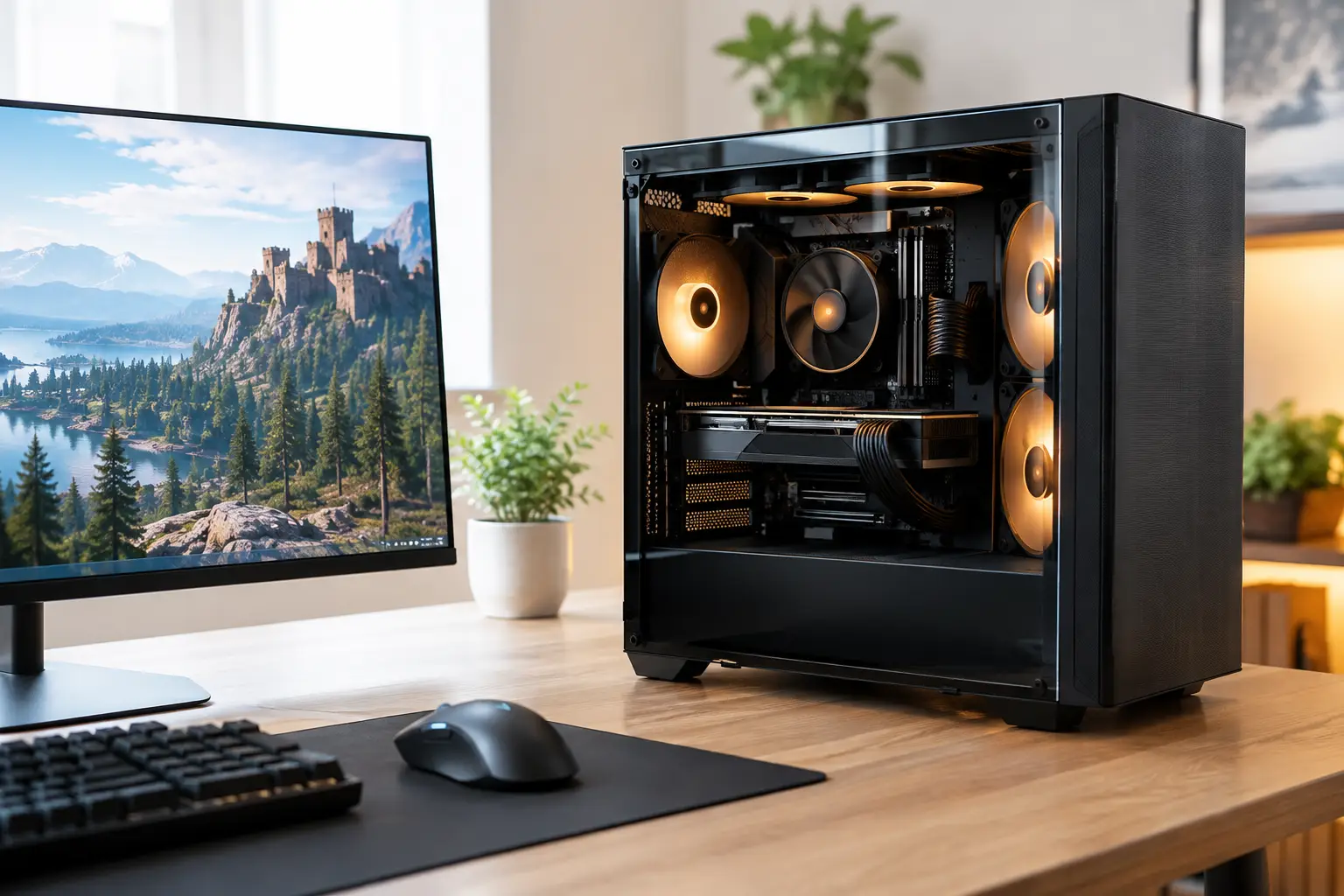
A handcrafted PC example is more useful when it begins with the games and work you actually do, rather than a shopping list of the most expensive components available. A system for competitive 1080p gaming needs a different balance to a machine driving a high-refresh 1440p display, editing 4K footage or rendering complex 3D scenes. The value of an expertly built PC is in those decisions being made together.
This example shows how a premium custom desktop can be specified around real-world performance, visual design, thermal control and sensible upgrade potential. It is not a fixed prescription. Component availability, monitor resolution, preferred games and budget all affect the final build. It is, however, a clear picture of what a considered, fully tested system looks like.
Handcrafted PC example: a balanced 1440p gaming build
Imagine a customer who wants excellent 1440p gaming performance, smooth everyday use, room for occasional video editing and an all-black system with controlled RGB lighting. They want to play demanding single-player titles at high settings, enjoy fast-paced online games on a 165Hz monitor and keep the PC capable for several years without paying for hardware they will not use.
A well-balanced specification might centre on a modern eight-core gaming-focused processor, paired with a capable current-generation graphics card designed for high-refresh 1440p play. Alongside 32GB of fast DDR5 memory, a 2TB NVMe SSD, a quality 750W or 850W power supply and a high-airflow case, this creates a machine with a strong foundation rather than a build dominated by one headline component.
The exact processor and graphics card should be chosen at the point of ordering, because prices and stock change and newer options may offer better value. What matters is the relationship between the parts. The processor must be fast enough to support high frame rates, the graphics card should suit the target resolution, and the power supply needs enough headroom for sustained load and sensible future upgrades.
The processor: chosen for the frame rate target
For this type of system, the processor is selected for responsive gaming performance and dependable multitasking. Competitive games can place a greater demand on processor performance, particularly when chasing very high frame rates. Meanwhile, a customer with a browser full of tabs, Discord, streaming software and editing applications open in the background benefits from additional cores and efficient architecture.
Choosing the most expensive processor is not automatically the right answer. If the PC will mainly play graphically demanding games at 1440p, it is often wiser to reserve more of the budget for the graphics card, display and cooling. A premium processor makes more sense where productivity workloads, streaming, simulation games or exceptionally high refresh rates are priorities.
The graphics card: matched to the monitor, not just the budget
The graphics card has the greatest influence on visual settings and frame rates in most modern games. For a 1440p build, it should be selected with the monitor in mind. A 165Hz screen does not mean every title will run at 165 frames per second with every visual option maximised, especially in demanding new releases. It does mean the system should deliver consistently fluid performance and allow sensible settings choices where needed.
Upscaling technologies and frame-generation features can help in supported games, but they should complement capable hardware rather than compensate for an unsuitable graphics card. A properly specified system gives the customer options: high settings for cinematic titles, competitive settings for faster multiplayer play, and enough graphics memory to remain comfortable as game requirements develop.
The components that make the build dependable
The parts that do not appear on a benchmark chart often determine whether a PC remains quiet, tidy and reliable over time. Premium custom building is not simply fitting compatible parts inside a case. Cable routing, airflow direction, cooler installation, firmware settings and stress testing all contribute to the finished experience.
For this example, 32GB of memory is a sensible baseline for a high-performance gaming PC. It provides useful breathing room for modern games, background applications and light creative work. More memory may be justified for regular 4K video editing, large design files, virtual machines or professional production work, but adding capacity without a clear workload can take budget away from more meaningful performance gains.
A 2TB NVMe SSD is equally practical. Large game installations can fill a 1TB drive surprisingly quickly, and a healthy amount of free space helps keep day-to-day storage management simple. Customers with extensive libraries may prefer a larger primary drive or add secondary storage later. The better choice depends on how many games, projects and recordings need to stay installed at once.
Cooling should support the processor without overwhelming the build visually or acoustically. A high-quality air cooler can be an excellent option for many systems, offering strong performance and straightforward long-term maintenance. An all-in-one liquid cooler may suit customers who want a particular look, require extra cooling capacity or prefer the cleaner presentation around the processor area. Neither is universally superior. The right answer depends on the processor, case, noise preference and intended aesthetic.
The case should provide unobstructed airflow, adequate space for the graphics card and cooler, and a layout that makes future servicing straightforward. A glass side panel and carefully managed lighting can make the system feel distinctly personal, but airflow remains the priority. RGB should enhance the build, not introduce a collection of unnecessary cables and controllers.
Power delivery and build quality
A quality power supply is a non-negotiable part of a premium PC. It should be correctly rated for the selected hardware, use the appropriate modern connectors and provide reserve capacity without being needlessly oversized. Cheap power delivery is a false economy in any performance system.
This is also where expert assembly matters. Components are secured correctly, cables are routed away from fans, memory profiles are configured where appropriate and cooling is checked under load. The finished PC should look considered from every angle, but it must perform just as carefully when the side panel is back in place.
What fully tested means in practice
A new custom PC should not arrive as an unproven collection of parts. Before dispatch, the system needs structured checks covering core functionality, temperatures, stability and component recognition. This process helps identify issues that may not be visible during assembly, such as an unstable memory setting, a cooling problem or a connection that requires attention.
Testing is especially valuable with high-performance hardware because peak load reveals far more than an initial boot screen. The processor and graphics card should be exercised, storage should be confirmed, fans should respond correctly and the operating environment should be checked for normal operation. A fully tested system gives the customer a stronger starting point than building from unopened boxes at home.
There is still a practical trade-off. Transport can affect even a carefully packed desktop, particularly where a large graphics card is installed. Following setup guidance, checking internal packaging if supplied and contacting support promptly if anything appears out of place are sensible first steps. Specialist support is part of the reassurance of buying a tailored system rather than an anonymous mass-market tower.
Where this example should change
The same framework can be adapted without losing its balance. A customer focused on esports at 1080p may choose a less expensive graphics card and place greater emphasis on processor speed and a very high-refresh monitor. A creator working in DaVinci Resolve, Adobe applications or 3D software may prioritise more memory, additional high-speed storage and a graphics card with stronger compute performance.
For a living-room PC or a desk where quiet operation matters most, the case, fan selection and cooling profile deserve more budget. For a system intended to stay visually relevant for years, a premium case and a tidy, standardised component layout can make later upgrades easier. There is no single best specification, only a best fit for a defined use case.
A carefully configured PC should feel purposeful from the first power-on. Start with the display you intend to use, the games or applications that matter most and a realistic budget, then build outward from those priorities. That approach gives every component a job to do and leaves you with a system that is tailored to your needs, expertly handcrafted and ready to perform.