How to Choose Gaming Components That Fit
Learn how to choose gaming components for balanced frame rates, dependable compatibility, quiet cooling and upgrade potential within your budget today.
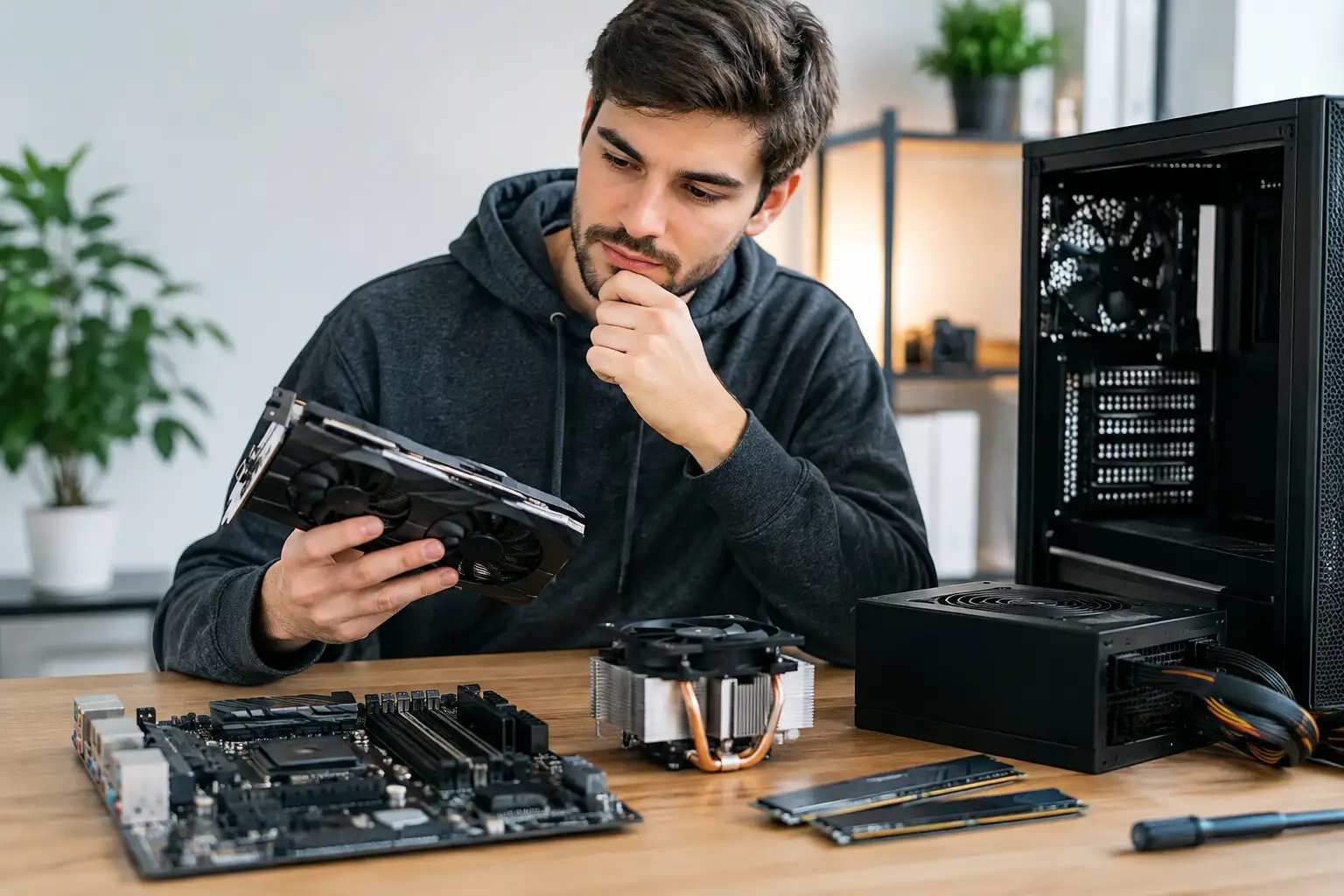
A gaming PC can look exceptional on a specification sheet and still be the wrong machine for the way you play. Pairing a flagship graphics card with an entry-level processor, buying more memory than your workload needs, or overlooking cooling can all spend budget in the wrong place. Knowing how to choose gaming components starts with building around your actual games, display and expectations - not simply choosing the most expensive part in every category.
The strongest custom PCs are balanced systems. Each component should support the performance, visual design, noise level and upgrade path you want from the finished machine.
Start with your target gaming experience
Before comparing components, decide what you expect the PC to do. A system for competitive esports at 1080p and high refresh rates has different priorities from one built for cinematic single-player games at 4K. The same is true if the PC will also edit video, render 3D projects or run demanding professional software.
Your monitor is the best place to begin. Its resolution and refresh rate establish a realistic performance target. For example, a 1440p 165Hz display asks more from the graphics card than a 1080p 144Hz panel, while 4K gaming places the greatest emphasis on GPU performance. If you already own a monitor, build around it. If you are buying one as part of a wider setup, choose the display target before finalising the PC specification.
Also consider the games you play most. Fast-paced titles such as Valorant, Counter-Strike 2 and Fortnite benefit from consistently high frame rates and strong processor performance. Graphically intensive games, particularly those using ray tracing, lean heavily on the graphics card and available video memory. A balanced system can handle both, but the budget split should reflect your priorities.
Choose the graphics card before the rest
For most gaming builds, the graphics card is the component with the greatest influence on visual settings, resolution and frame rate. It deserves the largest share of the budget when gaming is the primary purpose of the PC.
Do not judge a GPU by its name alone. Look at the performance level it delivers in the games and resolution you intend to use, then consider its video memory. VRAM becomes more relevant at higher resolutions, with detailed texture settings, ray tracing and modern demanding releases. More is not always necessary, but too little can limit how well a system ages.
The cooler design matters too. A larger graphics card with a quality heatsink will usually operate at lower temperatures and may be quieter under load, but it needs suitable clearance in the case. Check dimensions carefully, including room for power connectors and cable routing. This is one reason component compatibility should be considered from the outset rather than at checkout.
Match the processor to the GPU and your workload
The processor manages game logic, background tasks and the wider responsiveness of the system. It can limit frame rates when it cannot keep pace with the graphics card, particularly at 1080p or in CPU-heavy games. However, buying the highest-tier processor available is not automatically the best use of budget.
For a gaming-focused build at 1440p or 4K, a capable modern mid-to-high-range CPU is often the sensible partner for a powerful GPU. At these resolutions, the graphics card is usually the limiting factor. For competitive gaming at very high refresh rates, simulation games, strategy titles or a PC that will regularly stream and create content, allocating more to the processor can be worthwhile.
Consider the platform as well as the processor itself. The motherboard socket determines which CPUs it supports, and the platform can influence future upgrade options. A build should meet your needs now, but choosing a current platform with a sensible upgrade route can extend its useful life without replacing the entire system.
Select memory for capacity first, then speed
System memory affects how comfortably the PC handles games, browser tabs, launchers, voice chat and background applications at the same time. For a modern gaming PC, 16GB remains workable for many players, but 32GB is the more confident choice for a premium system intended to last, multitask or support creative workloads.
Memory speed and latency can affect performance, though the improvement is generally smaller than moving to a more capable graphics card. Once you have selected the right capacity, choose memory that is well suited to your processor and motherboard platform. Two matched memory modules are normally preferable to one because they allow dual-channel operation.
Avoid treating memory as an isolated upgrade. The motherboard must support the memory type, and the chosen modules should fit beneath the CPU cooler if space is tight. A properly configured system builder removes much of this uncertainty by presenting compatible options, but it remains useful to understand what drives the decision.
Pick storage that suits the way you use the PC
An NVMe SSD should be the starting point for a modern gaming build. It delivers quick boot times, responsive everyday use and shorter game loading times than older hard drives. Capacity matters just as much as speed: current games can occupy well over 100GB each, and an undersized drive becomes frustrating quickly.
A 1TB SSD is a practical minimum for many gaming systems, while 2TB gives more room for a substantial library without constant file management. Creators may benefit from separate drives for the operating system, projects and media, especially when working with large video files. Hard drives can still offer economical mass storage, but they are better used for archives than as the main location for regularly played games.
Do not compromise on the motherboard, power supply or cooling
These components rarely produce the headline frame-rate figure, yet they determine whether the PC is stable, tidy, quiet and ready for future changes. The motherboard should provide the correct socket, suitable power delivery for the processor, enough M.2 slots and USB connections, plus the networking features you need. Wi-Fi and Bluetooth are useful where a wired Ethernet connection is not practical, but they should not be assumed to be included on every board.
The power supply should be selected for quality as well as wattage. It needs enough capacity for the graphics card and processor under load, with appropriate headroom for transient power demands and later upgrades. A reputable, efficient unit supports stable operation and reduces unnecessary heat. It is not a component to treat as an afterthought simply because it sits out of sight.
Cooling is about sustained performance, acoustics and longevity. A modest processor may perform perfectly with a quality air cooler, while higher-power CPUs or builds designed around a particular aesthetic may suit liquid cooling. More fans are not automatically better. What matters is a considered airflow path: cool air entering the case, warm air leaving it, and no major obstruction to either.
Choose a case for airflow, fit and finish
The case is both the home for every component and a major part of the finished PC's character. Start with practical requirements: motherboard size, graphics card clearance, radiator support, fan locations and space for cable management. Then assess airflow. A visually striking glass-fronted case may not suit a high-performance configuration if it restricts fresh air to the intake fans.
A premium case can make a system easier to build, cleaner to maintain and quieter in use. Dust filters, accessible panels and sensible internal layout all add value over the years you own the PC. Aesthetics matter too, whether you prefer restrained black hardware, a white build or coordinated RGB lighting, but they should complement dependable thermal performance rather than replace it.
How to choose gaming components as a complete build
The final specification should be assessed as a whole. A useful check is to ask whether each component supports the same goal. Does the CPU allow the GPU to perform as intended? Does the power supply safely support both? Does the case have room for the cooler and graphics card? Is there enough storage for the games you will actually install? Are you paying for visual features that matter to you, or sacrificing performance for them?
This is where expert assembly and testing add genuine reassurance. A professionally configured system is not merely a collection of compatible parts. It is a machine whose cooling, power delivery, cabling and stability have been considered together, then tested before it reaches your desk. At CraftCore, that attention helps turn an individual specification into a premium PC tailored to the person using it.
Leave a little budget for the rest of the experience as well. A capable monitor, responsive keyboard, accurate mouse and good headset can have a greater day-to-day impact than a small specification increase inside the tower. Choose components with a clear purpose, and the result will feel considered from the first boot to the next upgrade.