How to Select a PC Case for Gaming Builds
Learn how to select PC case features for your build, from motherboard fit and airflow to GPU clearance, cooling, noise, style and future upgrades too.
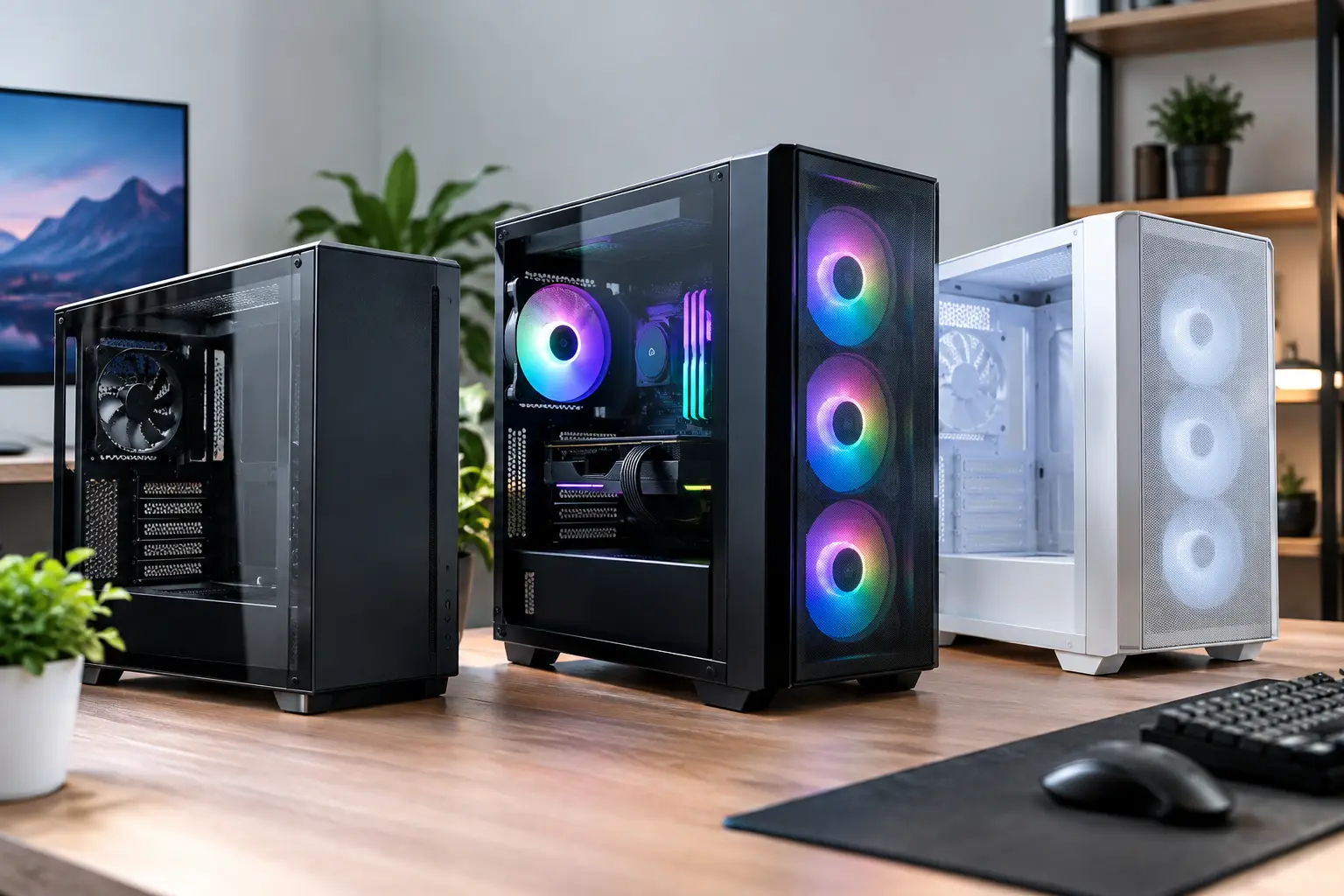
A high-end graphics card, clean cable routing and carefully chosen RGB components can all be undermined by the wrong enclosure. If you are searching for how to select PC case options, start by treating the case as part of the system’s performance plan, not simply its outer shell. It determines what hardware will fit, how effectively it can be cooled, how easy it is to maintain and how the finished PC will look on your desk.
The right choice is rarely the biggest or most expensive case available. It is the one that gives your chosen components enough room, enough fresh air and a layout that supports the way you use your PC.
How to select a PC case around your hardware
Choose the core components first wherever possible: processor, graphics card, motherboard, cooler and power supply. A case should accommodate that specification comfortably rather than forcing compromises later. This approach is particularly valuable for gaming PCs, where modern graphics cards and liquid-cooling hardware can be physically substantial.
Start with motherboard support. Most gaming builds use ATX, Micro-ATX or Mini-ITX motherboards. An ATX mid-tower is a strong all-round choice for many systems because it offers sensible expansion room without dominating a desk. Micro-ATX cases can create a more compact build while retaining good performance potential, although space for fans, storage and cable management may be reduced. Mini-ITX is ideal when desk space is limited or a compact aesthetic is the priority, but it demands more careful component selection and often costs more to cool effectively.
Graphics card clearance deserves equal attention. Check the manufacturer’s stated maximum GPU length, then compare it with the exact card you intend to use. Do not forget that front-mounted radiators, thick fans or drive cages can reduce the available space. Leave a little room beyond the published card length so the power cable is not pressed tightly against a side panel.
The same principle applies to CPU cooling. Large air coolers need sufficient height clearance, while all-in-one liquid coolers need compatible radiator positions. A case may technically support a 360 mm radiator, but the practical fit can depend on the thickness of the radiator, the fans, motherboard heatsinks and the position of the RAM. For a premium build, confirmed compatibility is better than a tight fit that complicates installation or restricts airflow.
Choose a size that fits your room and your plans
A case can be well specified yet unsuitable for the space where it will live. Measure the desk, shelf or floor position before ordering, including the space behind it for display cables and air exhaust. A full tower provides generous room for large cooling systems, extensive storage and future upgrades, but it can be unnecessary for a single-GPU gaming PC.
For most buyers, a quality mid-tower offers the most balanced route. It usually supports standard ATX hardware, modern graphics cards and multiple fan or radiator configurations, while remaining manageable to position and work inside. It also gives a system builder room to route cables properly, which improves both presentation and maintenance.
Compact cases are not inferior, but they involve trade-offs. They can look exceptionally clean and save valuable desk space, yet their tighter internal layout may increase noise, limit upgrade choices or require specific small-form-factor power supplies. Choose compact because it suits your setup, not just because it looks impressive in a product image.
Put airflow before glass panels and lighting
A case cannot cool a system on its own, but it can make cooling straightforward or unnecessarily difficult. Look for a clear air path: cool air entering through the front, side or bottom, then warm air leaving through the rear and top. Mesh front panels often allow stronger airflow than solid glass or metal fronts, particularly when paired with two or three well-positioned intake fans.
This does not mean every gaming PC needs the maximum possible number of fans. More fans can improve temperatures, but fan quality, placement and speed settings matter more than filling every mounting point. A sensible arrangement of front intake fans with rear and top exhaust usually provides a strong starting point. Positive air pressure, where intake slightly exceeds exhaust, can also help reduce dust entering through unfiltered gaps.
Check whether fans are included and what sizes the case supports. A lower-priced case may appear good value but require several additional fans to reach its potential. Dust filters are worth having on intake areas, especially for a PC placed near carpet or pets. They make routine cleaning simpler and help preserve cooling performance over time.
If quiet operation matters, avoid assuming a sealed front panel will automatically produce a quieter PC. Restricting airflow can cause fans to run faster under load, increasing noise. A well-ventilated case with quality fans can be both cooler and quieter because the system does not need to work as hard to move air.
Check the details that affect the build experience
A premium case should feel considered beyond its headline specifications. Removable side panels, a sensible cable-routing channel, rubber grommets and adequate room behind the motherboard tray all make a noticeable difference. Good cable management is not only about appearance. It keeps wiring away from fans, improves access for future upgrades and helps air move through the chassis.
Pay attention to front-panel connections. USB-A remains useful for many peripherals, while USB-C can be valuable for newer devices and external storage. Audio ports may matter if you regularly use wired headphones at your desk. Confirm that your chosen motherboard has the required internal headers, particularly for front USB-C, or you may be paying for a port you cannot use.
Storage support depends on your needs. Many current gaming and performance builds use M.2 NVMe SSDs fitted directly to the motherboard, reducing the need for multiple drive bays. However, creators, professionals and users with large game libraries may still want space for 2.5-inch SSDs or 3.5-inch hard drives. Check how adding drives affects fan or radiator positions in the specific case layout.
Also consider the power supply. Most mid-towers accept standard ATX PSUs, but compact cases may require an SFX model. A PSU shroud can hide cables neatly, although it should not prevent access or make installation needlessly awkward.
Match the design to your setup, not a trend
Your case is likely to remain through more than one graphics card or processor upgrade, so choose a design you will still enjoy in several years. Tempered-glass panels suit builders who want components and lighting on display. A solid side panel offers a more understated appearance and can be a practical choice if the PC sits beneath a desk or out of sight.
Consider the rest of the setup as well. A white case can create a striking centrepiece, but matching internal components, cables and peripherals may require more planning. Black remains versatile, while wood, aluminium and minimal mesh designs can suit a professional workspace as effectively as a gaming room.
Build quality should guide the decision more than lighting modes. Look for sturdy panels, secure filters, reliable fan mounts and a layout that does not flex or rattle. These are the details that support an expertly handcrafted, fully tested system and continue to matter long after the first boot.
Set a sensible case budget
The case should not consume money better spent on the graphics card, processor or storage, but it is not a component to treat as an afterthought. A very cheap enclosure can limit cooling, create awkward installation work and make a future upgrade more expensive than it needs to be. At the other extreme, paying for a vast showcase chassis makes little sense if a modest mid-tower meets every requirement.
Set the budget after defining your hardware and priorities. Spend more when you need high-capacity liquid cooling, quiet operation, compact dimensions, exceptional materials or a particular visual finish. Spend less when a straightforward, well-ventilated case provides the fit and features your build actually needs.
A carefully selected case gives every component the environment it deserves. Choose one with confirmed clearance, purposeful airflow and enough flexibility for the next stage of your PC, and the finished machine will be easier to enjoy, maintain and upgrade.