OLED Versus IPS Displays: Which Suits Your PC?
Compare OLED versus IPS displays for gaming, work and creative use. See the real trade-offs in speed, colour, brightness, text clarity and long-term care.
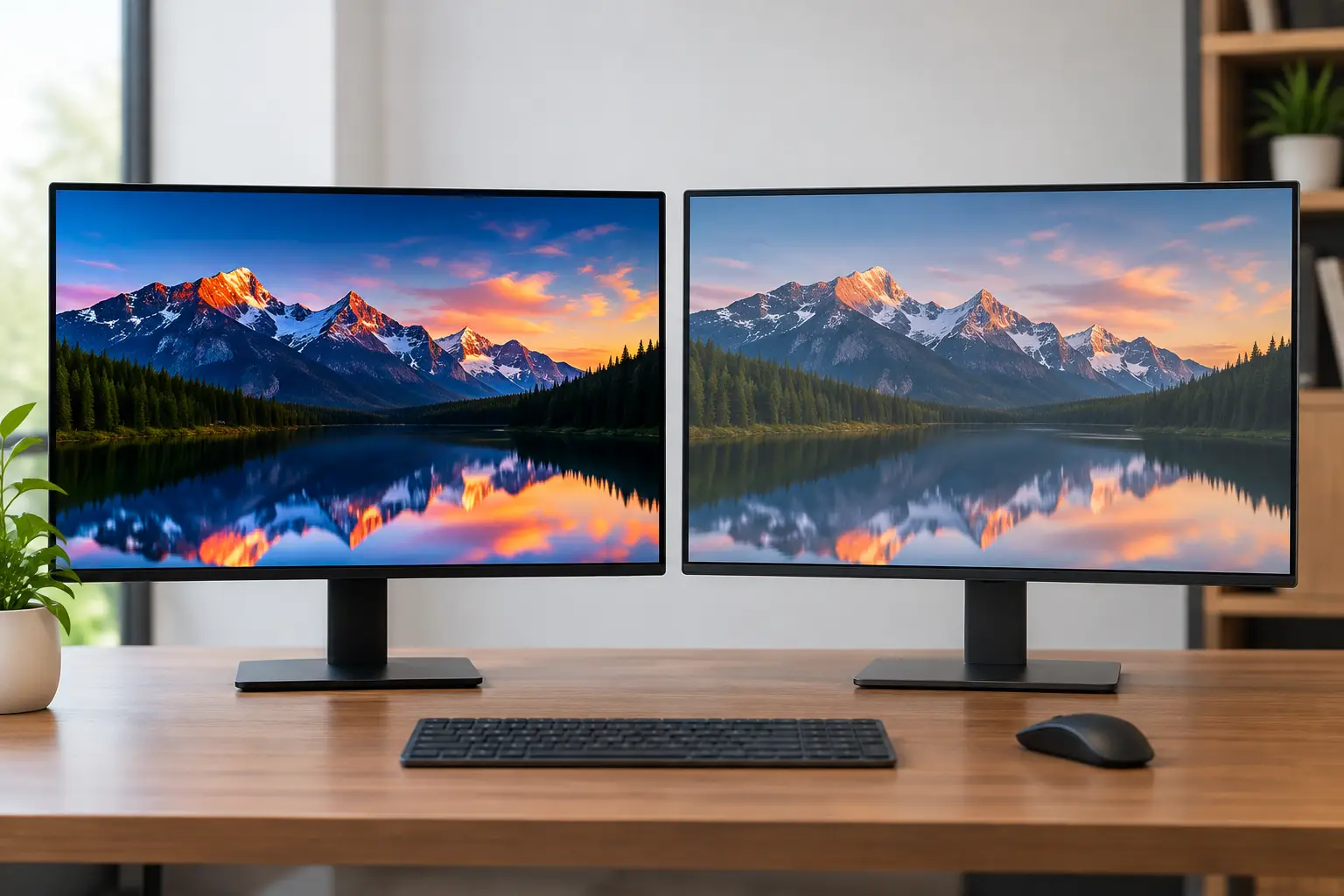
A powerful graphics card deserves a display that shows what it can do. When comparing OLED versus IPS displays, the difference is not simply better or worse. OLED can deliver remarkable contrast and motion clarity, while IPS remains a highly capable, dependable choice for bright rooms, productivity and value-conscious high-performance setups.
For a custom gaming PC, the right panel depends on the games you play, the room you use, the hours you spend at the desktop and whether your monitor also handles work or creative projects. The specification sheet matters, but so does how the screen behaves in everyday use.
OLED versus IPS displays: the essential difference
OLED panels use self-emissive pixels. Each pixel produces its own light and can switch off completely when displaying black. That gives OLED its defining advantage: effectively infinite contrast. Dark scenes have genuine depth, bright highlights stand apart, and there is no typical LCD backlight glow around light objects on a dark background.
IPS, short for In-Plane Switching, is an LCD technology. It uses a backlight behind the panel, with liquid crystals controlling how much light passes through each pixel. A good IPS monitor cannot create the absolute black of OLED because some backlight remains visible, particularly in a dark room. It can, however, offer excellent colour accuracy, wide viewing angles and strong all-round consistency.
Neither technology automatically guarantees a premium experience. Resolution, refresh rate, coating, brightness behaviour, calibration and panel quality all affect the final result. A well-chosen IPS monitor can be a better purchase than an entry-level OLED that does not suit your desk, usage pattern or budget.
Why OLED looks exceptional in games
OLED is particularly compelling for single-player games with cinematic lighting, space settings, horror titles and richly detailed night scenes. Blacks appear properly black rather than grey, so shadows retain atmosphere without making the whole image look washed out. HDR content can also look striking because small bright elements, such as neon signs, sparks or sunlight, sit against deep darkness with convincing separation.
Pixel response times are another major strength. OLED pixels change state extremely quickly, reducing the blur and smearing that can make fast camera movement look less precise. In competitive games, that can make motion feel unusually clean at high refresh rates. Pair an OLED display with a properly configured high-end graphics card and a strong frame rate, and the result is immediate and responsive.
This does not mean OLED always delivers the highest usable brightness. Full-screen brightness is often more limited than on the best IPS monitors, especially when large bright areas are displayed. A bright snow map, a white web page or a spreadsheet can trigger automatic brightness limiting on some OLED models. In a dim or controlled room, this is rarely a concern. In a sunlit room with light hitting the screen, it can be decisive.
Where IPS still makes a great deal of sense
IPS remains a practical choice for mixed-use desktop systems. It is often available at lower prices across a broad choice of sizes, resolutions and refresh rates. That can leave more of the budget for the components that directly affect game performance, such as the graphics card, processor or additional memory.
For users who spend long days in documents, coding tools, browsers and office software, IPS can also be more comfortable. Text commonly appears sharper and more conventional on an IPS LCD at comparable resolutions, especially when using standard desktop scaling. OLED subpixel layouts can make fine text look slightly less clean to some users, although this varies by panel generation, operating system settings and viewing distance.
Brightness is a further reason to consider IPS. Many IPS displays maintain a brighter full-screen image and cope better with daylight-heavy rooms. If your desk sits near a window, or the monitor must serve a home office during the day and gaming setup in the evening, a quality IPS panel can be the more straightforward option.
Contrast, colour and HDR in real use
Contrast is OLED's most obvious win. It adds dimension to dark scenes and makes games, films and high-quality visual content feel more immersive. IPS displays can still look excellent, but dark-grey blacks and IPS glow are more apparent when the lights are low.
Colour needs a more careful assessment. Both OLED and IPS monitors can cover wide colour gamuts and deliver accurate output when properly calibrated. OLED often appears more vivid because of its contrast, not necessarily because it is objectively more accurate. For photo editing, video work or design where colour decisions matter, look beyond panel type. Check gamut coverage, calibration claims, colour modes, uniformity and whether the monitor is suited to your required colour space.
HDR is similarly dependent on the whole display, not the logo on the box. OLED's per-pixel lighting gives it a clear advantage in dark HDR scenes. IPS can still be effective where a monitor has a capable local-dimming backlight, but basic edge-lit IPS HDR is unlikely to create the same depth. If HDR gaming and films are a priority, OLED is usually the more convincing route.
Burn-in: an OLED consideration, not a reason to panic
Burn-in is permanent uneven wear caused by static elements displayed for extended periods. Examples include a fixed taskbar, game HUD, application panels or channel logos. Modern OLED monitors include protective measures such as pixel shifting, static-logo detection and panel refresh cycles, which reduce the risk substantially.
The risk is still worth taking seriously if your monitor will display the same desktop layout for many hours every day. It is more relevant to a workstation that permanently shows spreadsheets, dashboards or editing timelines than to a varied gaming and entertainment setup.
A few sensible habits help: allow the monitor to complete its panel-care cycle, use automatic screen sleep, avoid leaving a static image on screen overnight and vary content where practical. It is also sensible to check the manufacturer's warranty terms for panel burn-in before buying. IPS does not carry this particular concern, making it reassuring for static, all-day productivity use.
Choose based on how your PC is used
OLED is likely to suit you best if immersive gaming, HDR, dark-room use and exceptional motion clarity are at the top of your list. It is a natural partner for a premium gaming PC intended to run demanding AAA games at high settings, especially at 1440p or 4K.
IPS is likely to be the better fit if you need a monitor for long working days, a bright room, sharp desktop text and high refresh gaming without paying OLED-level prices. It is also an excellent route for esports-focused builds, where a fast 1440p IPS panel can provide smooth, responsive play while keeping more budget available for a faster GPU.
Creative users should assess their work rather than follow a panel trend. An OLED can be outstanding for video, media and contrast-sensitive visual work, while a well-calibrated IPS display may be preferable for long sessions involving interface-heavy applications, print-focused colour work or bright studio conditions.
Resolution and refresh rate still matter
Panel technology should not distract from the core pairing of resolution, refresh rate and graphics performance. A 4K OLED at 240Hz is an outstanding display, but it asks a great deal from any system in modern games. Buying it for a mid-range PC may mean relying heavily on upscaling or lowering settings to approach its refresh ceiling.
A 1440p 165Hz or 180Hz IPS display can be a more balanced match for many gaming PCs. It offers a noticeable improvement in clarity over 1080p, keeps frame-rate targets realistic and works well across competitive and story-driven games. At the higher end, 1440p OLED at 240Hz or 360Hz offers an excellent blend of image quality and speed for players with the hardware to support it.
When specifying a tailored system, consider the display early. It helps determine the sensible graphics card tier, rather than treating the monitor as an afterthought once the PC budget has been spent.
The better display is the one that fits your desk
OLED is the premium visual choice for many gamers, with contrast and motion performance that IPS cannot fully reproduce. IPS remains one of the most reliable and versatile display technologies available, particularly for bright environments, long desktop sessions and balanced system budgets.
Before choosing, think about the light in your room, the games you actually play, how often static desktop content stays on screen and the frame rates your chosen PC can realistically produce. At CraftCore, that same considered approach applies to the full setup: select the display around your needs, then build the system to make the most of it.