OLED versus IPS Monitors for Gaming PCs
Compare OLED versus IPS monitors for gaming, creative work and everyday use, with clear advice on motion, contrast, brightness, burn-in and better value.
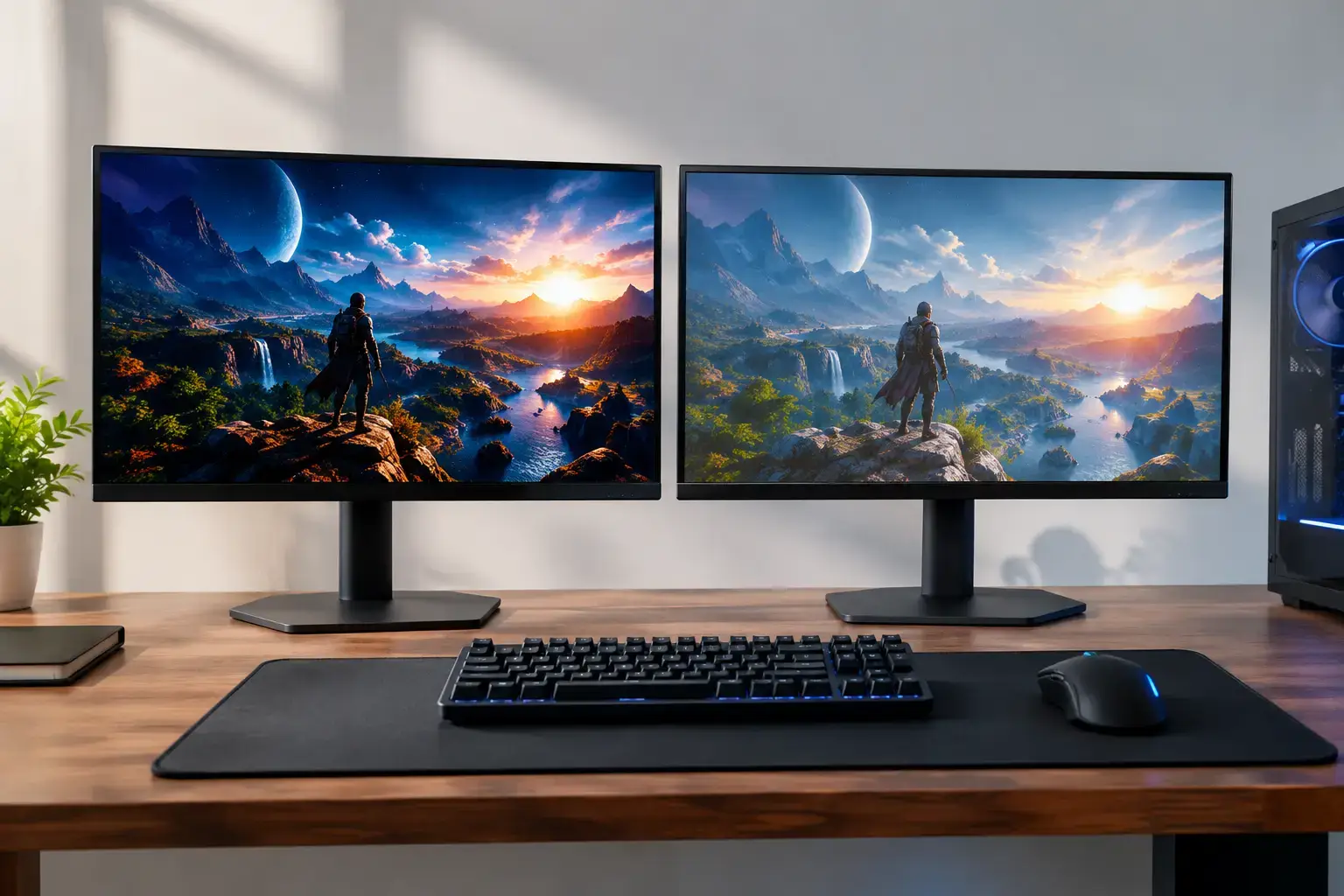
A powerful graphics card can deliver exceptional frame rates, but the display decides how much of that performance you actually see. The choice between OLED versus IPS monitors affects black levels, motion clarity, desktop comfort, HDR impact and the long-term cost of your setup. Neither panel type is automatically right for every premium PC. The best choice depends on what you play, where you use your system and how many hours you spend working at the desktop.
OLED versus IPS monitors: the core difference
OLED pixels produce their own light and can switch off individually. When an OLED displays a black scene, those pixels are genuinely off, creating near-perfect blacks and effectively unlimited contrast. This gives games with dark environments, films and HDR content a level of depth that conventional LCD panels struggle to match.
IPS monitors use an LCD layer illuminated by a backlight. They cannot turn off individual pixels in the same way, so black scenes may appear dark grey rather than true black, particularly in a dim room. In return, IPS remains a mature, versatile technology that offers accurate colour, wide viewing angles, strong full-screen brightness and excellent value across a broad range of sizes and resolutions.
For a gaming PC, OLED often creates the more dramatic first impression. For a desk used for work, browsing, spreadsheets, creative applications and gaming, a well-chosen IPS monitor can be the more practical long-term fit.
Picture quality: contrast changes the feel of a game
OLED's main advantage is contrast. In a night-time racing circuit, a horror title with shadowy interiors or a space game filled with bright stars against black, an OLED panel keeps dark areas dark while preserving bright highlights. There is no backlight glow around small bright objects, and the image can appear more three-dimensional as a result.
IPS has made significant progress, especially in premium models with local dimming. Mini-LED IPS displays can deliver impressive HDR brightness and better contrast than standard IPS screens. However, local dimming works in zones rather than at a pixel level. Bright subtitles, HUD elements or stars can sometimes create a halo against a dark background, known as blooming.
This does not mean every game looks better on OLED. Colour calibration matters, and some OLED monitors are tuned for vivid showroom appeal rather than accurate output. A quality IPS display with strong colour coverage and a sensible calibrated mode can look superb in bright, colourful games. OLED simply has the greater advantage where deep blacks and HDR contrast set the mood.
HDR is about more than a badge
An HDR logo alone is not a guarantee of a convincing HDR image. Look at the display's sustained brightness, local dimming capability on IPS models, colour performance and HDR calibration. OLED usually provides the most precise contrast, while bright Mini-LED IPS monitors can be a better choice in rooms with lots of daylight because they can sustain more brightness across a large part of the screen.
Your PC specification matters too. HDR at 4K can place a substantial demand on the GPU, especially when ray tracing is enabled. A tailored gaming PC should balance monitor resolution and refresh rate with the performance your graphics card can realistically deliver in the games you play.
Motion clarity and competitive gaming
OLED pixels change state extremely quickly. This reduces pixel response blur and can make rapid camera movement look exceptionally clean. Combined with 240Hz, 360Hz or higher refresh rates, OLED is a compelling option for players who want sharp motion in competitive shooters, racing games and fast-paced action titles.
IPS gaming monitors are also very capable. A fast IPS panel at 165Hz, 240Hz or beyond offers responsive gameplay, low input lag and none of the older assumptions that IPS is inherently slow. At the highest level, OLED generally has the edge in pixel response times, but monitor settings, refresh rate, frame consistency and your own system latency all affect the experience.
For most players, moving from 60Hz to 144Hz or 165Hz is more transformative than moving from a fast IPS monitor to OLED at the same refresh rate. Prioritise the refresh rate that suits your games and the resolution that suits your GPU before paying extra for panel technology alone.
Bright rooms, workspaces and everyday use
This is where IPS often makes the stronger case. A bright home office or gaming room with windows can reduce the perceived benefit of OLED's deep blacks, while reflections become more noticeable. Glossy OLED finishes can make games look wonderfully clear in controlled lighting, but they may also mirror lamps and windows. Matte IPS monitors are often easier to live with in varied daytime conditions.
IPS is also a dependable option for long desktop sessions. Text is typically crisp, and static interface elements create no retention concern. This makes IPS particularly suitable for developers, students, office users and creators who leave timelines, toolbars, code editors or spreadsheets on screen for much of the day.
Some OLED panels can show slight text fringing at close viewing distances because of their subpixel layout. Newer OLED monitors have improved, and many users will not find it distracting, but it remains worth seeing in person if your display will primarily be used for writing or detailed productivity work. Scaling settings and sensible viewing distance can help, yet they do not change the underlying panel structure.
Burn-in: assess the risk realistically
Burn-in is permanent uneven wear caused by static elements remaining on screen over extended periods. OLED monitor manufacturers include protections such as pixel shifting, logo detection, screen savers and periodic panel refresh cycles. These measures reduce risk, but they do not make it disappear.
For a player who uses a monitor for a few evening gaming sessions, varied entertainment and general web use, a modern OLED can be a reasonable purchase. For someone working eight or more hours daily with the same applications open, then gaming in the evening, IPS offers greater peace of mind.
If you choose OLED, use its panel-care features, allow refresh cycles to run when prompted, hide static desktop icons where practical and avoid leaving a paused game or bright application open for hours. Warranty terms deserve close attention too. Check whether burn-in is explicitly covered rather than assuming that a standard panel warranty includes it.
Resolution, size and GPU pairing
Panel technology should not distract from the rest of the specification. A 27-inch 1440p monitor remains a balanced choice for many gaming PCs, delivering a sharp image without the GPU demand of 4K. It is available in both high-refresh OLED and fast IPS formats, making it one of the easiest categories to compare directly.
At 4K, a 32-inch screen gives greater desktop space and fine detail, but it asks far more of your graphics card. An IPS 4K monitor may offer better value if you prefer high resolution for work and slower-paced games. A 4K OLED is an excellent premium option for players who want cinematic HDR and have a high-end GPU capable of maintaining strong frame rates.
Ultrawide OLED monitors are particularly immersive for simulation, racing and single-player games, but check your desk depth, game support and graphics performance before committing. A larger display is only an upgrade when it suits the space and the system driving it.
Which monitor should you buy?
Choose OLED if your priority is premium gaming immersion, exceptional black levels, responsive motion and impactful HDR in a controlled-light room. It is especially rewarding for story-led games, racing titles and competitive play where you value the fastest pixel response. It also suits buyers building a high-performance PC around a capable graphics card and who are comfortable managing static-screen habits.
Choose IPS if you need an all-round desktop monitor for gaming, work and creative tasks, particularly in a bright room. It is the sensible choice when value, sustained brightness, sharp text and zero burn-in concern matter more than perfect blacks. High-refresh IPS models remain excellent gaming displays, and the saving can be directed towards a faster GPU, larger SSD or stronger overall PC specification.
Mini-LED IPS deserves consideration if you want serious HDR brightness and a productive desktop experience without OLED wear concerns. It will not match OLED's pixel-level contrast, but it can be an effective middle ground for mixed-use setups.
A monitor should complement the PC you are building, not force compromises elsewhere. Match its resolution, refresh rate and panel type to the games you play and the hours you spend away from them. The right screen is the one that makes your expertly configured system feel tailored to the way you actually use it.