PC Assembly Service for a Better Custom Build
Choose a PC assembly service that matches components, cooling and testing to your games, work and budget, then delivers a dependable custom build today.
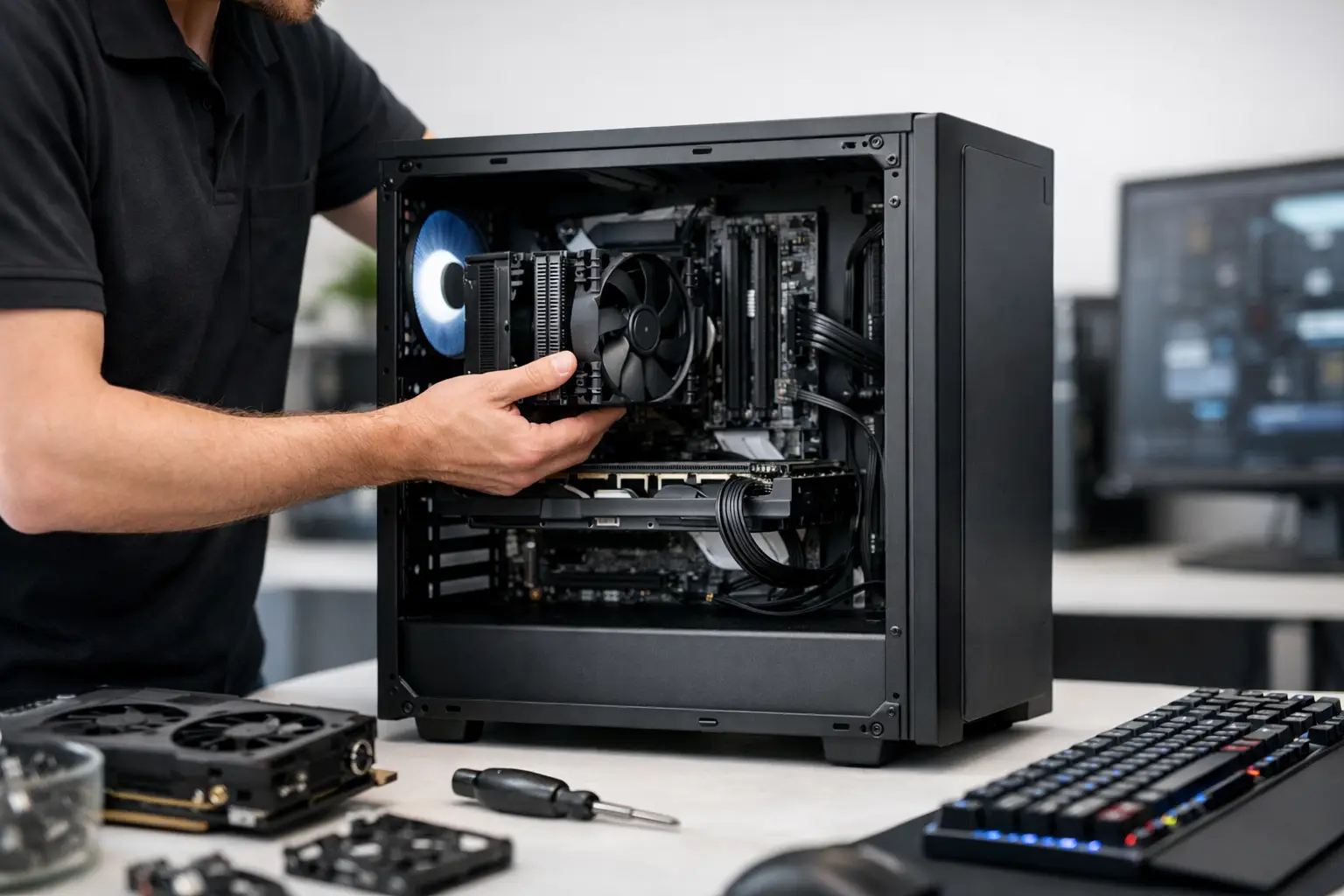
A premium PC should not arrive as a collection of impressive component names that happen to fit inside the same case. A professional PC assembly service turns a specification into a considered system: one with the right power delivery, cooling, cable routing, firmware settings and testing behind it. That work matters whether you are chasing high refresh-rate gaming, rendering demanding creative projects or building a desktop that needs to perform reliably every day.
The attraction of choosing individual parts is obvious. You can select the processor, graphics card, memory, storage, case and lighting that suit your priorities. The difficult part is knowing how those choices behave together once the system is under load. A specialist build service provides the confidence that your PC has been assembled with care, configured correctly and tested before it reaches your desk.
What a PC assembly service should include
Assembly is more than installing components and pressing the power button. A properly built machine starts with component compatibility. The motherboard must support the chosen processor and memory, the case needs enough clearance for the graphics card and cooler, and the power supply must provide suitable capacity and the correct connections for the complete specification.
Cooling deserves particular attention. A powerful CPU and graphics card can produce substantial heat during gaming, streaming, compiling code or video editing. The right cooler is only part of the answer. Fan placement, case airflow, radiator position and cable management all affect temperatures and noise levels. A system that appears excellent on a parts list can run louder or warmer than expected if these details are overlooked.
The final stage is testing. This should go beyond confirming that the PC reaches the desktop. A fully tested build checks that core hardware is detected correctly, storage is functioning as expected and the machine remains stable under realistic load. It also gives the builder an opportunity to identify a faulty component or an unstable setting before delivery, rather than leaving you to diagnose a problem after setup.
Why component balance matters more than headline specs
It is easy to overspend on one component while compromising the rest of the build. For gaming, the graphics card will often have the greatest influence on frame rates, particularly at 1440p and 4K. Yet pairing it with an underpowered processor, limited memory, slow storage or inadequate cooling can restrict the experience you expected.
The right balance depends on how you use the PC. A competitive player using a 1080p high refresh-rate monitor may benefit from strong processor performance and fast, responsive memory. A player focused on detailed single-player games at 4K will usually place more emphasis on graphics performance. For creators, processor core count, memory capacity and fast storage may take priority alongside GPU acceleration for the applications they use.
There is no universally correct specification. The best build is tailored to your monitor, software, preferred games, budget and expectations for future upgrades. This is where expert guidance is useful: it keeps the spend focused on hardware that will make a meaningful difference to your own workload.
Power and cooling are not secondary choices
A quality power supply is rarely the most exciting item in a configuration, but it is central to system stability and upgrade potential. It should offer enough headroom for the installed hardware without being selected purely on the biggest wattage number. Build quality, efficiency, connector availability and suitability for modern graphics cards are equally relevant.
The same principle applies to cooling. A compact air cooler can be an excellent fit for an efficient gaming system, while a higher-performance processor may warrant a larger tower cooler or liquid cooling solution. Liquid cooling can offer strong thermal performance and a cleaner visual layout, but it is not automatically necessary. The right choice depends on the processor, case, noise preference and aesthetic you want.
Choosing between a bespoke build and a pre-built PC
A bespoke PC offers greater control. You can choose a particular case colour, match fans and lighting, prioritise quiet operation, allocate more budget to storage, or build around a specific game and display. It is the right route for buyers who know what they want or who would value help refining a specification around clear goals.
A pre-built system can be the better decision when you want a proven configuration without making every component choice yourself. A well-designed pre-built PC should still use balanced parts and undergo the same careful assembly and testing. It removes decision fatigue while providing a clear starting point for gaming, work or creative applications.
The trade-off is simple. Bespoke configuration gives you more personal control, while a pre-built system gives you a faster path to a trusted setup. Neither route is inherently better. What matters is that the finished computer is appropriate for the job and leaves sensible room for future changes.
Questions worth asking before you order
Before selecting a PC assembly service, start with the screen you will use. Its resolution and refresh rate help determine where your budget should go. A powerful graphics card is less valuable if your monitor cannot show the performance it delivers, while an older display may be the next upgrade worth planning for.
Consider the complete setup too. Fast wired or wireless networking, a dependable keyboard and mouse, sufficient desk space and appropriate audio can all affect how the system feels in daily use. Peripherals do not need to consume the budget for the tower, but they should not be an afterthought when building a premium desktop experience.
It is also sensible to ask how the system is tested, what is included with delivery and how support is handled after purchase. Custom PC ownership should feel reassuring, not like taking on a box of technical problems. Clear order communication, secure delivery arrangements and a structured returns process are part of the service, not optional extras.
Think ahead, but do not pay for unused performance
Upgrade potential has value, particularly for a platform you expect to keep for several years. More memory slots, additional storage capacity, a suitable power supply and a case with practical airflow can make later improvements easier. However, planning ahead should not mean buying expensive capacity you are unlikely to use.
A realistic upgrade plan is more useful than a vague ambition to future-proof everything. For example, it may make sense to start with enough memory for your current games and applications while choosing a motherboard that permits expansion later. Equally, selecting a case that accommodates a larger graphics card can preserve options without forcing an unnecessary purchase now.
The value of expert assembly
Building your own PC can be rewarding, especially if you enjoy learning the hardware in detail. It also requires patience, a careful approach and time for troubleshooting if something does not work first time. For some enthusiasts, that process is part of the hobby. For others, it is an avoidable risk when they would rather start using the machine.
An expert build brings consistency to the practical details that are easy to underestimate: correctly mounted cooling hardware, tidy cables that do not obstruct airflow, sensible fan curves, secure component installation and a final inspection before dispatch. These are not cosmetic finishing touches. They contribute to long-term reliability, easier maintenance and a system that looks as considered as it performs.
CraftCore approaches each configuration as an individual machine rather than a generic retail PC. That means matching premium components to the customer’s intended use, expertly handcrafting the build and fully testing it before it leaves the workshop.
A PC should feel purposeful from its first boot, whether it is powering a competitive gaming setup, a creative workstation or both. Choose the specification around what you will genuinely do with it, then choose an assembly service that treats every connection, temperature and test result as part of the finished product.