A Quiet Gaming PC Build That Stays Cool
Plan a quiet gaming pc build with the right case, cooling, fans and components, balancing low noise, dependable temperatures and consistent frame rates.
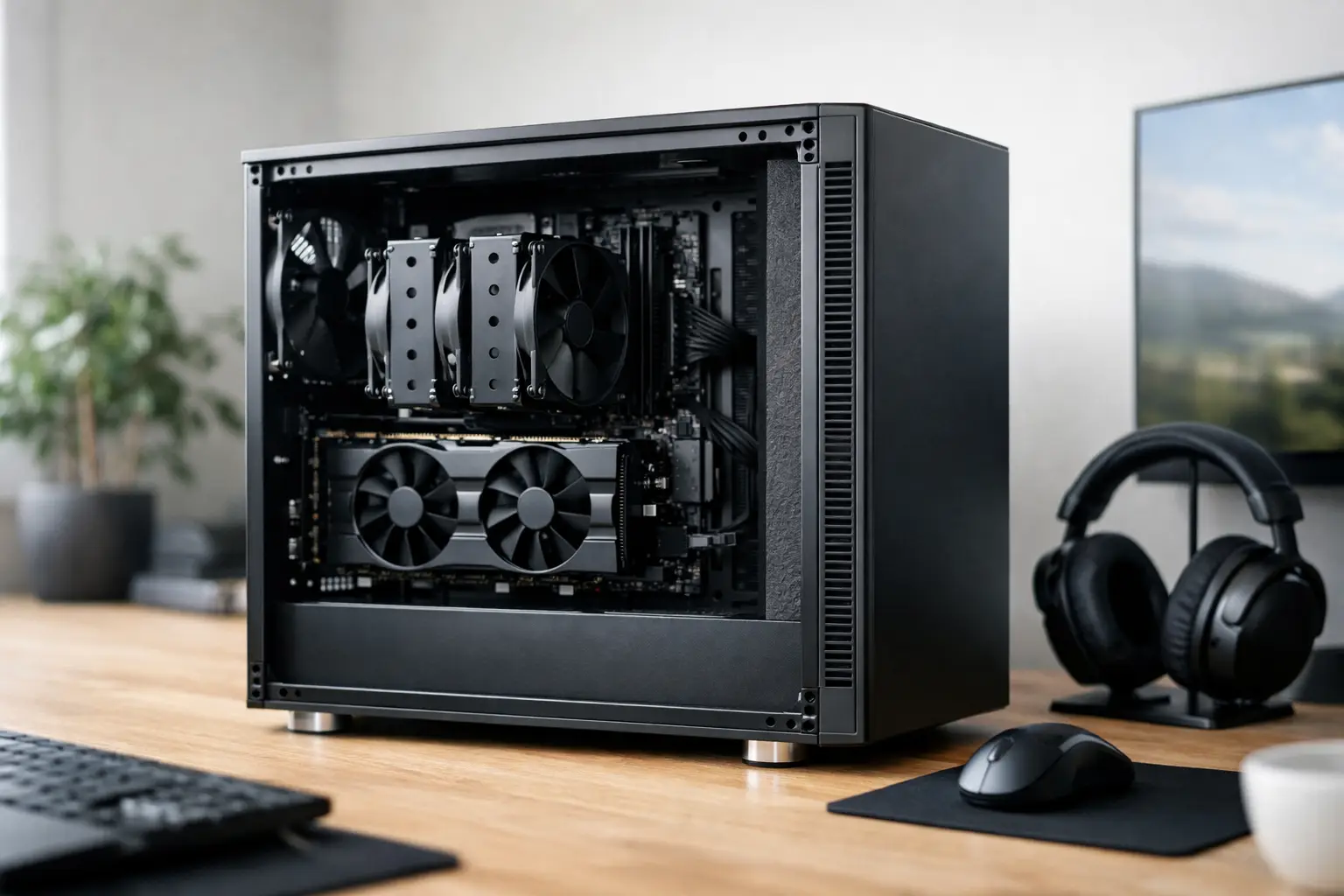
The moment a game reaches a demanding scene, a poorly planned PC can make itself known: fans surge, the graphics card develops a high-pitched whine, and the system competes with your speakers or headset. A quiet gaming PC build is not about making a high-performance machine completely silent. It is about choosing components that manage heat efficiently, then tuning them so noise remains controlled when the workload rises.
For gaming, creative work and everyday use, the best result is a system that sounds calm at the desk while still delivering the frame rates and responsiveness you expect. That balance comes from the whole build, not one supposedly silent part.
What Makes a Quiet Gaming PC Build Work?
Heat is the source of most PC noise. Your processor, graphics card, power supply and storage all create heat, while fans and coolers remove it. When cooling is inadequate, fan speeds rise sharply to protect the hardware. A quieter system therefore begins with sensible thermal headroom rather than restricting airflow in the hope of reducing sound.
The case sets the foundation. A well-designed airflow case with room for large fans can often be quieter than a heavily insulated case with limited ventilation. Larger 140 mm fans can move a useful volume of air at lower speeds than smaller models, producing a lower, less intrusive sound. Sound-dampening panels can help with certain frequencies, but they should never come at the expense of the airflow required by powerful components.
Component selection matters just as much. A graphics card with a substantial heatsink and multiple large fans may cost more and occupy more space, but it can run at lower fan speeds than a compact alternative. The same principle applies to CPU cooling. A quality tower air cooler is often exceptionally quiet and reliable, while a well-specified liquid cooler can offer more thermal capacity where high-end processors demand it.
There is always a trade-off. A compact PC can be quiet, but it requires tighter component choices and more careful airflow planning. A high-wattage graphics card can be controlled acoustically, although it will need a capable case and cooling arrangement. The aim is to specify the right level of performance for the games you play, rather than buying excess power that creates excess heat.
Start With the Case and Airflow
A quiet PC should have a clear route for cool air to enter and warm air to leave. In most gaming builds, front or bottom intake fans bring air towards the graphics card and processor, while rear and top exhaust fans remove heat. This does not mean filling every fan mount available. Too many fans can add noise without improving temperatures meaningfully.
Two or three quality intake fans and one or two exhaust fans are usually a strong starting point, depending on case size and hardware. The important factor is controlled, balanced airflow. Slightly positive pressure, where the system has a little more intake than exhaust, can also reduce dust entering through unfiltered gaps.
Look for a case with practical cable-routing space, dust filters and enough clearance for your chosen CPU cooler and graphics card. Good cable management is not only about presentation. Keeping cables away from fan blades and open airflow paths makes the finished system easier to cool and maintain.
Glass panels are a visual choice, not an acoustic upgrade or downgrade on their own. They can suit a premium RGB-focused build, but the components behind them still need disciplined thermal planning. If low noise is the priority, focus on fan quality, cooler capacity and airflow before considering lighting or panel materials.
Choose Efficient Parts Before Adding More Cooling
The most effective way to reduce fan noise is to avoid creating unnecessary heat. Modern processors and graphics cards offer excellent gaming performance across a wide range of power levels. Choosing the highest-tier hardware available is not automatically the best route to a refined, quiet machine.
For a 1440p gaming system, for example, a well-matched processor and graphics card may provide the desired performance without the heat output of an extreme specification intended for very high-refresh 4K gaming. This can reduce cooling demands, power draw and overall cost while still providing an excellent experience.
Graphics card design deserves close attention. Models based on the same GPU can vary considerably in cooling performance and acoustics. A premium card with a larger cooler, better fan design and a sensible factory power limit is often a stronger choice for a quiet build than a smaller, less expensive version of the same chip.
Power supplies are frequently overlooked. A high-quality, appropriately rated PSU can operate its fan at very low speed or keep it off during lighter workloads. Avoid choosing capacity purely by the biggest figure on the box. Instead, select a reputable unit with enough headroom for the specified system, including future upgrades, without paying for unnecessary wattage.
Storage also affects the character of a system. NVMe SSDs have no moving parts and remove the vibration and read/write noise associated with mechanical hard drives. Large hard drives still have a place for economical bulk storage, but if quiet operation is a priority, keep them to a minimum or use dedicated mounting designed to reduce vibration.
Cooling Choices: Air Versus Liquid
A quality air cooler is one of the best choices for many quiet gaming PCs. Its design is straightforward: a large heatsink absorbs CPU heat, then one or two fans disperse it. With enough cooling capacity, these fans can run slowly during gaming and remain almost inaudible at idle. Air cooling also has fewer moving parts than an all-in-one liquid cooler.
Liquid cooling can be the right choice for high-core-count or higher-power processors, particularly where the system will spend long periods rendering, compiling or streaming alongside gaming. A 240 mm or 360 mm radiator provides a larger cooling surface, allowing fans to run at lower speeds under sustained load. However, liquid cooling introduces pump noise, and poor fan settings can make a large radiator unnecessarily loud.
Neither route is universally better. An efficient mid-range gaming CPU may be quieter with a premium air cooler, while a top-tier processor used for demanding production workloads may benefit from a larger liquid cooler. The full system specification should guide the decision.
Fan Curves Are Where Quiet Builds Are Won
Even excellent hardware can become irritating if every fan reacts too aggressively to short temperature spikes. A thoughtful fan curve lets the system remain quiet during browsing, media playback and lighter games, then increases cooling gradually as sustained heat builds.
A sensible approach is to keep low-load fan speeds modest, introduce gradual increases through normal gaming temperatures, and reserve high fan speeds for genuinely demanding conditions. Sudden jumps are more noticeable than a consistent fan sound.
When configuring a build, pay attention to these four areas:
- CPU fan response, based on processor temperature and the cooler fitted.
- Case fan response, ideally reflecting the heat affecting the whole system rather than only the CPU.
- Graphics card fan behaviour, including any zero-RPM mode at idle.
- Pump speed on liquid-cooled systems, ensuring it is controlled without creating a distracting constant tone.
Testing matters here. A fan curve that looks sensible in software should be checked during the games and applications you actually use. A system may be quiet in a short benchmark but louder after an hour of gaming, once the case and graphics card have fully warmed up.
Control Noise Beyond the Fans
Not every unwanted sound comes from airflow. Coil whine, a faint electrical noise that can occur under high frame rates or intense load, varies between individual components. It cannot always be predicted or eliminated, although limiting excessively high frame rates, using sensible graphics settings and selecting quality components can sometimes reduce its prominence.
Vibration is easier to address. Ensure fans are properly secured, use suitable mounting where available, and avoid allowing cables to touch fan blades. A PC placed directly on a hollow desk can also transmit vibration more noticeably than one positioned on a stable surface with adequate clearance around its vents.
Keep the system clean once it is in use. Dust restricts airflow, raises temperatures and forces fans to work harder. Checking filters and cleaning the interior carefully at sensible intervals protects both acoustic performance and component longevity. The exact frequency depends on where the PC is positioned, whether there are pets in the home and how dusty the room becomes.
Why Professional Assembly Helps
A quiet build rewards attention to small details: compatible clearances, the direction of each fan, cable routing, cooler mounting pressure and firmware settings all affect the final result. This is where an expertly handcrafted and fully tested system offers real reassurance, especially if you want premium performance without spending evenings diagnosing an unexpected rattle or temperature issue.
At CraftCore, a tailored specification can account for your preferred games, monitor resolution, visual style and noise expectations from the outset. That makes it easier to choose sensible performance rather than simply chasing the most expensive components.
A quieter gaming PC is ultimately a better PC to live with. Specify the performance you will genuinely use, give the hardware room to breathe, and let careful cooling control do its work in the background.