How to Plan a Premium Sim Racing Build at Home
Plan a sim racing build with the right PC, display, controls and cockpit for convincing performance, comfort and room to upgrade and expert setup advice.
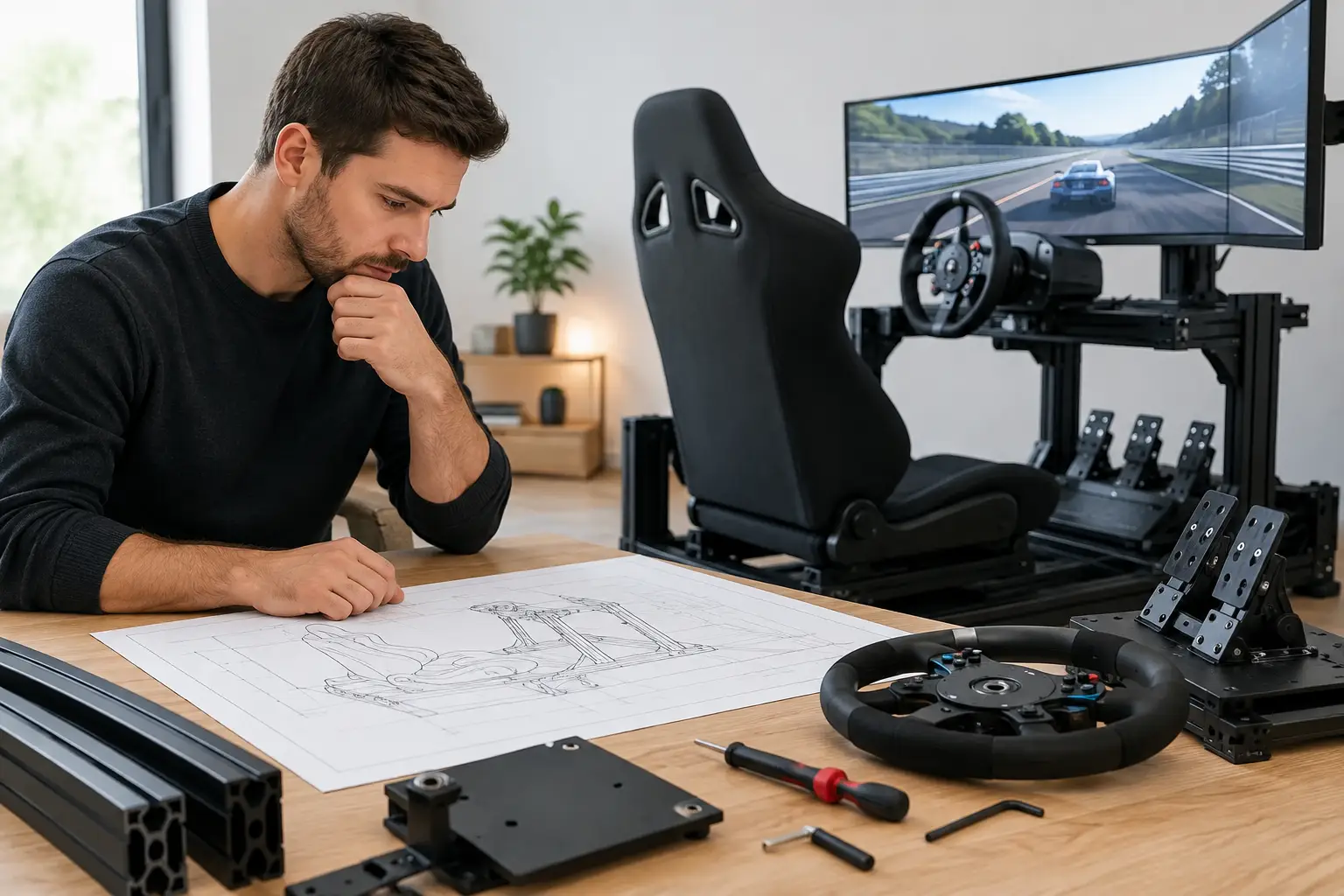
The difference between a racing game on a desk and a convincing driving experience is rarely one expensive component. A well-planned sim racing build brings the PC, cockpit, wheelbase, pedals and display together so that every part supports the way you want to drive. Get that balance right and long stints feel controlled, immersive and comfortable. Get it wrong and even premium hardware can feel compromised.
Start your sim racing build with the driving experience
Before choosing a graphics card or wheel, decide what you want the rig to do. Someone learning circuit racing on a single monitor needs a different setup from a competitive driver running triple displays, or an enthusiast building a dedicated rally and endurance station.
Your available space matters just as much. A foldable wheel stand can be a sensible choice in a bedroom, study or shared living area, while a fixed aluminium-profile cockpit offers greater rigidity and adjustment if the rig has a permanent home. The latter costs more and occupies more floor space, but it gives direct-drive wheelbases and load-cell pedals the stable foundation they need.
Set a complete budget rather than spending everything on the PC or wheel. The often-overlooked costs are the seat, mounting brackets, monitor arm or stand, keyboard tray, cabling, headphones and the small accessories that make daily use easier. A measured plan prevents a premium wheelbase being attached to a flexible desk or a powerful PC being paired with a display that cannot show its potential.
Choose controls for consistency, not just peak force
Force feedback is about information. A good wheelbase communicates tyre grip, kerbs, weight transfer and the point at which the car begins to slide. More torque can add detail and headroom, but it also requires a suitably rigid mount and careful settings. For many drivers, a sensibly powered direct-drive wheel on a firm cockpit is a better investment than the strongest wheelbase mounted to a desk.
Pedals deserve similar attention. Entry-level pedal sets are capable and approachable, particularly when space or budget is limited. A load-cell brake, however, measures pressure rather than just travel, helping you develop repeatable braking points. It can feel demanding at first, especially if you are used to a soft pedal, but consistency is where it earns its place.
Consider the driving disciplines you enjoy. Formula-style rims suit open-wheel and GT racing, while a round wheel is more versatile for road cars, drifting and rally. If you want to switch between disciplines, choose an ecosystem with practical wheel changes rather than buying several controls that cannot be mounted or stored neatly.
The cockpit is the foundation of a premium sim racing build
A cockpit should hold your wheel, pedals and seat in the same relationship every time you sit down. That sounds simple, yet it affects comfort, braking accuracy and confidence under force feedback.
Look for a rigid frame with adjustment at the pedal deck, wheel mount and seat rails. Aluminium-profile rigs are popular because accessories can be added later, including shifter mounts, handbrake brackets, monitor stands and keyboard trays. Tubular cockpits can also work well, provided their mounting options suit your chosen hardware.
Seat position is more important than a racing-inspired appearance. You should be able to press the brake firmly without locking your knee, reach the wheel with relaxed shoulders, and keep your wrists close to the top of the rim when your back is against the seat. A seat that looks impressive but lacks support quickly becomes distracting during a longer race.
If you are using a desk setup initially, be realistic about its limits. Secure clamps, cable management and a chair that does not roll backwards can make it enjoyable. It is a valid place to start, especially when building gradually. Once you move to load-cell pedals or a higher-powered wheelbase, though, a dedicated frame becomes less of a luxury and more of a practical upgrade.
Build the PC around your screen choice
Sim racing can place a demanding load on a gaming PC. Detailed circuits, changing weather, large grids and mirrors all add work for the processor and graphics card. The display arrangement has an even greater effect. Driving one 1440p monitor is very different from driving three high-refresh 1440p panels or a virtual reality headset.
For a single-screen setup, prioritise a balanced gaming PC with a capable modern graphics card, a strong gaming processor and sufficient memory for the titles you play alongside background applications. A fast solid-state drive reduces loading times and keeps the system responsive when managing replays, mods and updates.
Triple monitors create a broad, natural field of view, but they significantly increase the number of pixels your graphics card must render. Aim for a higher-spec graphics card, and avoid building too close to the performance limit if you want the freedom to raise visual settings or race in busy conditions. A strong processor also helps where simulation physics and opponent cars increase CPU demand.
Virtual reality offers exceptional depth perception and a sense of scale that screens cannot fully reproduce. It also makes smooth frame delivery especially important. Some drivers love the immersion; others prefer the clarity, convenience and awareness of triples. There is no universal winner. If possible, try VR before committing, particularly if you are sensitive to motion sickness or wear glasses.
At CraftCore, a configurable PC build makes it easier to match the system specification to the display setup you actually intend to use, rather than paying for performance you will not see or falling short once the grid fills up.
Do not overlook cooling and connectivity
Long races are sustained workloads. A properly selected CPU cooler, quality airflow and reliable power supply support stable performance when the system is under pressure for hours rather than minutes. Quiet cooling also matters more in a sim rig, where a constantly loud fan can undermine an otherwise focused setup.
Count your connections before ordering. Wheelbases, pedals, shifters, handbrakes, button boxes, headphones and USB accessories can quickly occupy the available ports. A powered USB hub may be useful, but it should be good quality and positioned where cables will not be pulled as the seat moves. For triple displays, confirm that the graphics card has the required outputs and that the monitor cables are long enough for your layout.
Choose a display that supports clean, confident driving
A high-refresh monitor makes steering inputs and track detail easier to read, particularly in close racing. Resolution adds sharpness, while screen size and panel layout shape how much of the cockpit and surrounding track you can see.
A single ultrawide display can be an excellent middle ground. It is simpler to mount and configure than triples, takes less space and provides more peripheral vision than a standard widescreen panel. Triple screens remain the stronger choice for a wider wraparound view, but require careful alignment and more graphics performance.
Do not buy based on refresh rate alone. Check the panel’s response performance, adaptive synchronisation support and stand or mounting compatibility. If you intend to use a freestanding triple monitor stand, leave a small gap between it and the cockpit. A monitor attached directly to a vibrating frame may move with strong force feedback, which is distracting and can make fine adjustments harder.
Set up for comfort before chasing lap time
Once the hardware arrives, take time to position it properly. Begin with the seat and pedals, then set wheel height and distance. The wheel should not force you to lift your shoulders, while the pedals should allow firm braking without pushing yourself away from the seat.
Keep cables clear of pedal travel, seat rails and your feet. Label power supplies and USB leads where practical, especially if several devices use similar connectors. This makes troubleshooting far less frustrating when you update a wheelbase, change a display or move the rig.
In software, start with sensible defaults rather than copying another driver’s maximum force feedback settings. If the wheel is constantly heavy or clipping detail through corners, reduce the output and build up gradually. The objective is to feel useful information, not to wrestle the rim. Calibrate pedals carefully, set an appropriate field of view for your screen distance, and test the setup in the type of car you drive most often.
Leave room for the next upgrade
The strongest sim racing setups are rarely bought in a single transaction. Start with a solid platform: a PC that suits the intended display, controls you can use consistently, and a cockpit or mounting solution that does not hold the rest of the system back. From there, upgrades such as better pedals, a second wheel rim, haptic feedback or additional screens become considered improvements rather than expensive corrections.
A sim racing build should make you want to complete one more lap, not make you think about what is flexing, overheating or sitting in the wrong place. Build around that feeling, and every carefully chosen component will have a clear job to do.